> ## Documentation Index
> Fetch the complete documentation index at: https://docs.twenty.com/llms.txt
> Use this file to discover all available pages before exploring further.
# 1. Data model
> Model documents and templates with objects, fields, and a relation.
Our app needs two custom objects: **document templates** (what to write) and
**documents** (the generated result). Let's define them.
Scaffold each entity file with the CLI — it generates a valid UUID and the right
folder for you:
```bash filename="Terminal" theme={null}
yarn twenty dev:add object
```
Below we show the finished files.
Every `*_UNIVERSAL_IDENTIFIER` constant lives in
`src/constants/universal-identifiers.ts` and is imported where used. The snippets
below omit those imports for brevity — keep them in your own files.
## The template object
A template has a `name`, a `body` with `{{placeholders}}`, and a `target` that
says whether it's written for a Person or a Company. The `body` is a
`RICH_TEXT` field, so Twenty gives it a full rich-text editor.
```ts filename="src/objects/document-template.object.ts" theme={null}
import { defineObject, FieldType } from 'twenty-sdk/define';
export default defineObject({
universalIdentifier: DOCUMENT_TEMPLATE_OBJECT_UNIVERSAL_IDENTIFIER,
nameSingular: 'documentTemplate',
namePlural: 'documentTemplates',
labelSingular: 'Document template',
labelPlural: 'Document templates',
icon: 'IconFileText',
labelIdentifierFieldMetadataUniversalIdentifier:
TEMPLATE_NAME_FIELD_UNIVERSAL_IDENTIFIER,
fields: [
{ universalIdentifier: TEMPLATE_NAME_FIELD_UNIVERSAL_IDENTIFIER,
type: FieldType.TEXT, name: 'name', label: 'Name', icon: 'IconAbc' },
{ universalIdentifier: TEMPLATE_BODY_FIELD_UNIVERSAL_IDENTIFIER,
type: FieldType.RICH_TEXT, name: 'body', label: 'Body', icon: 'IconFileText',
description: 'Use {{placeholders}} like {{name.firstName}} or {{jobTitle}}.' },
{ universalIdentifier: TEMPLATE_TARGET_FIELD_UNIVERSAL_IDENTIFIER,
type: FieldType.SELECT, name: 'target', label: 'Target', icon: 'IconTarget',
defaultValue: `'PERSON'`,
options: [
{ id: TEMPLATE_TARGET_OPTION_PERSON_UNIVERSAL_IDENTIFIER,
value: 'PERSON', label: 'Person', color: 'blue', position: 0 },
{ id: TEMPLATE_TARGET_OPTION_COMPANY_UNIVERSAL_IDENTIFIER,
value: 'COMPANY', label: 'Company', color: 'green', position: 1 },
] },
],
});
```
`SELECT` option **values** must be `UPPER_CASE` (`PERSON`, not `person`), and the
`defaultValue` is wrapped in extra quotes: `` `'PERSON'` ``. The `label` is what
users see.
## The document object
The generated document stores the rendered `content` and a `status`. Define it
the same way, with a `status` select of `DRAFT` / `GENERATED`. Full file:
[`document.object.ts`](https://github.com/twentyhq/twenty/blob/main/packages/twenty-apps/examples/document-generator/src/objects/document.object.ts).
## Linking them with a relation
Each document should point back to the template it came from. Relations are
**bidirectional** — you define both sides, each in its own field file.
```ts filename="src/fields/document-template-relation.field.ts" theme={null}
import { defineField, FieldType, OnDeleteAction, RelationType } from 'twenty-sdk/define';
// The "many" side: each document belongs to one template.
export default defineField({
universalIdentifier: DOCUMENT_TEMPLATE_FIELD_UNIVERSAL_IDENTIFIER,
objectUniversalIdentifier: DOCUMENT_OBJECT_UNIVERSAL_IDENTIFIER,
type: FieldType.RELATION,
name: 'template',
label: 'Template',
relationTargetObjectMetadataUniversalIdentifier:
DOCUMENT_TEMPLATE_OBJECT_UNIVERSAL_IDENTIFIER,
relationTargetFieldMetadataUniversalIdentifier:
TEMPLATE_DOCUMENTS_FIELD_UNIVERSAL_IDENTIFIER,
universalSettings: {
relationType: RelationType.MANY_TO_ONE,
onDelete: OnDeleteAction.SET_NULL,
joinColumnName: 'templateId',
},
});
```
The other side (`template-documents-relation.field.ts`) is a
`RelationType.ONE_TO_MANY` field named `documents` that points the opposite way.
See [Relations](/developers/extend/apps/data/relations) for the full pattern.
## See it in Twenty
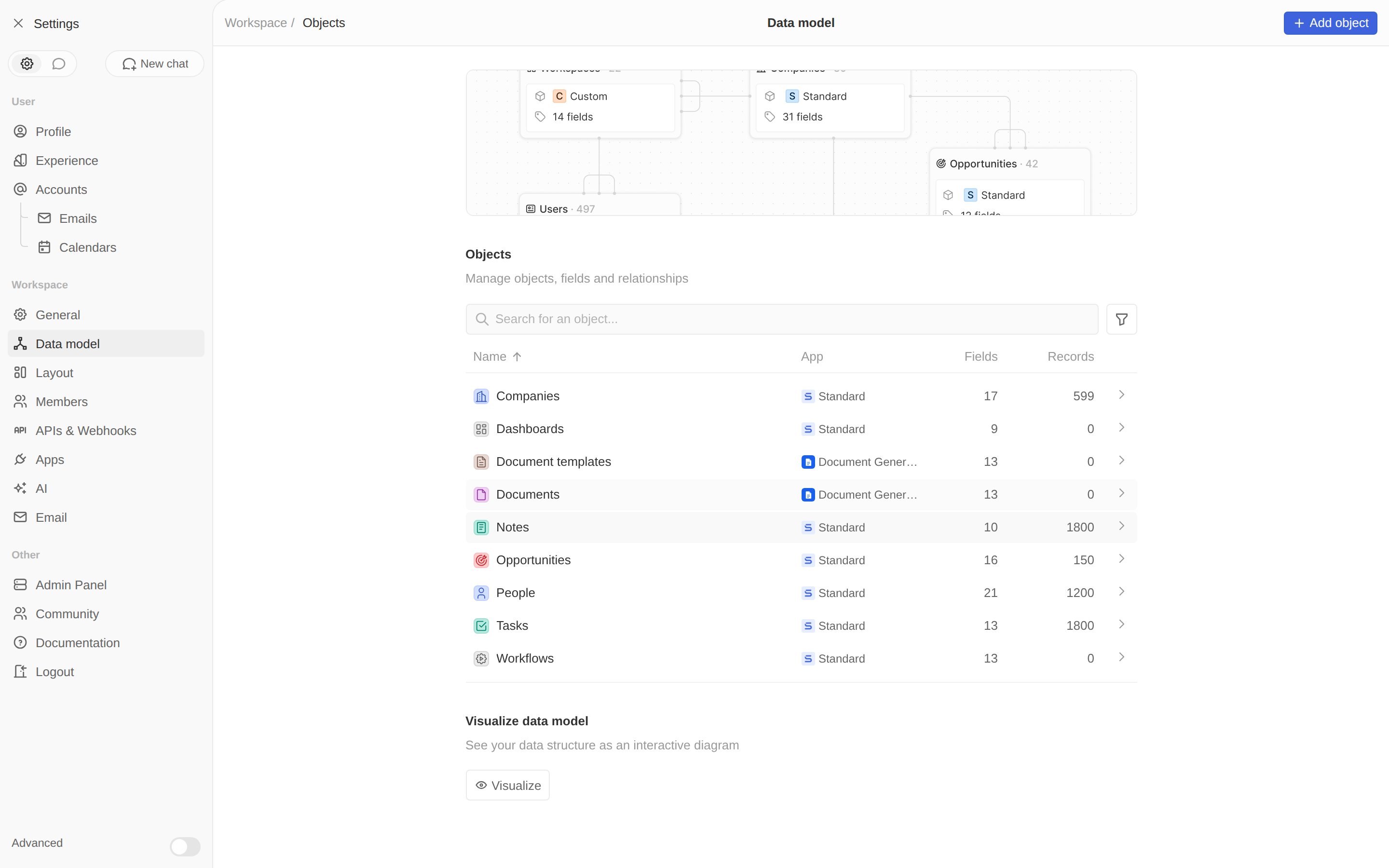
With `yarn twenty dev` running, open **Settings → Data model**. Both objects
appear, tagged with your app.
 Create one template to test with — name it *Sales proposal*, set **Target** to
*Person*, and paste a body with a few placeholders:
```text theme={null}
Dear {{name.firstName}} {{name.lastName}},
As {{jobTitle}} at {{company.name}}, we think you'll love our product.
Best,
The Team
```
Create one template to test with — name it *Sales proposal*, set **Target** to
*Person*, and paste a body with a few placeholders:
```text theme={null}
Dear {{name.firstName}} {{name.lastName}},
As {{jobTitle}} at {{company.name}}, we think you'll love our product.
Best,
The Team
```
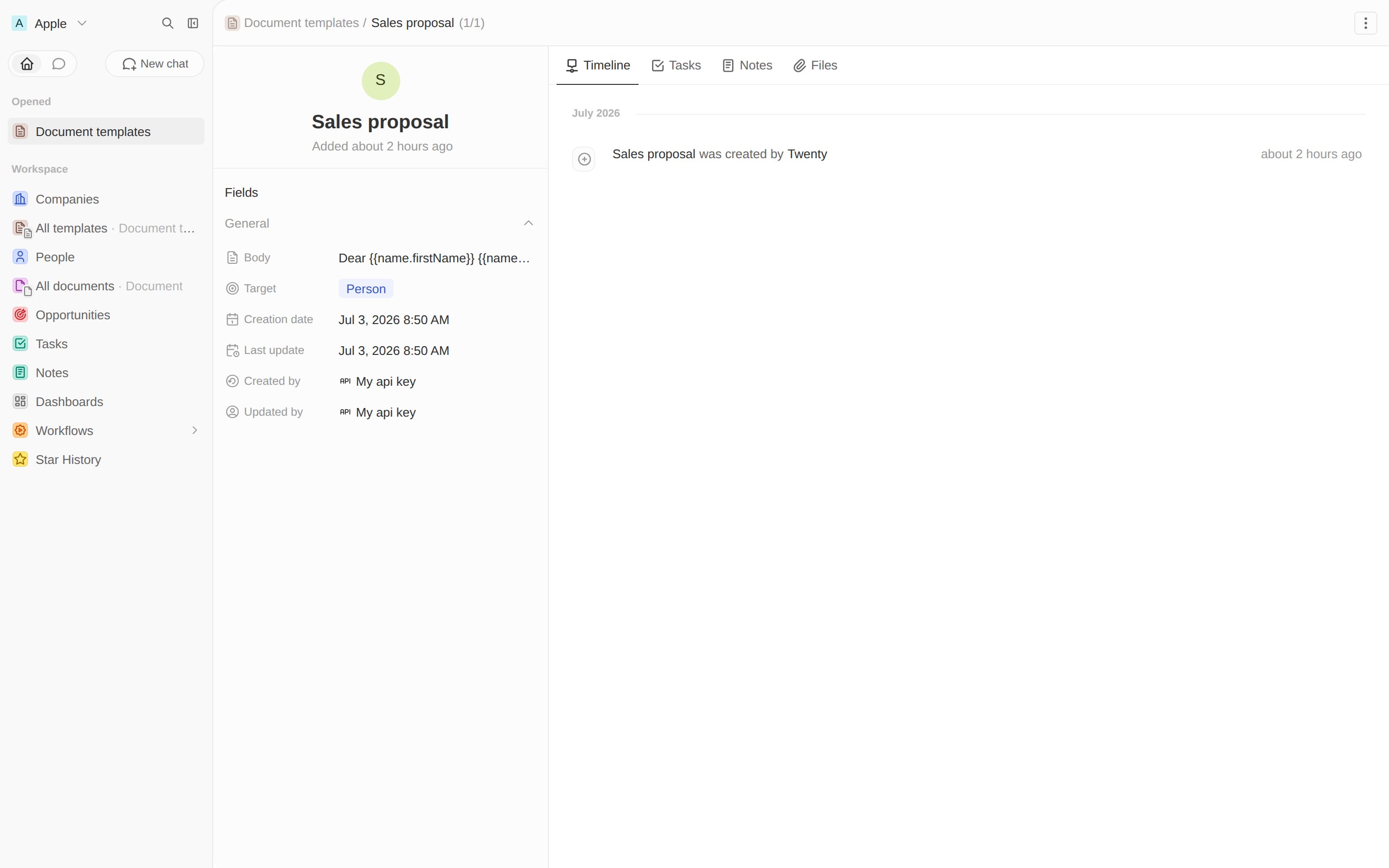 **After this step:** you have `documentTemplate` and `document` objects, linked by
a relation, and one template to generate from. Next, the logic that fills it in.
Write the logic function that fills the template.
**After this step:** you have `documentTemplate` and `document` objects, linked by
a relation, and one template to generate from. Next, the logic that fills it in.
Write the logic function that fills the template.