> ## Documentation Index
> Fetch the complete documentation index at: https://docs.twenty.com/llms.txt
> Use this file to discover all available pages before exploring further.
# Table Views
> Display your data in a spreadsheet-like list format.
## About Table Views
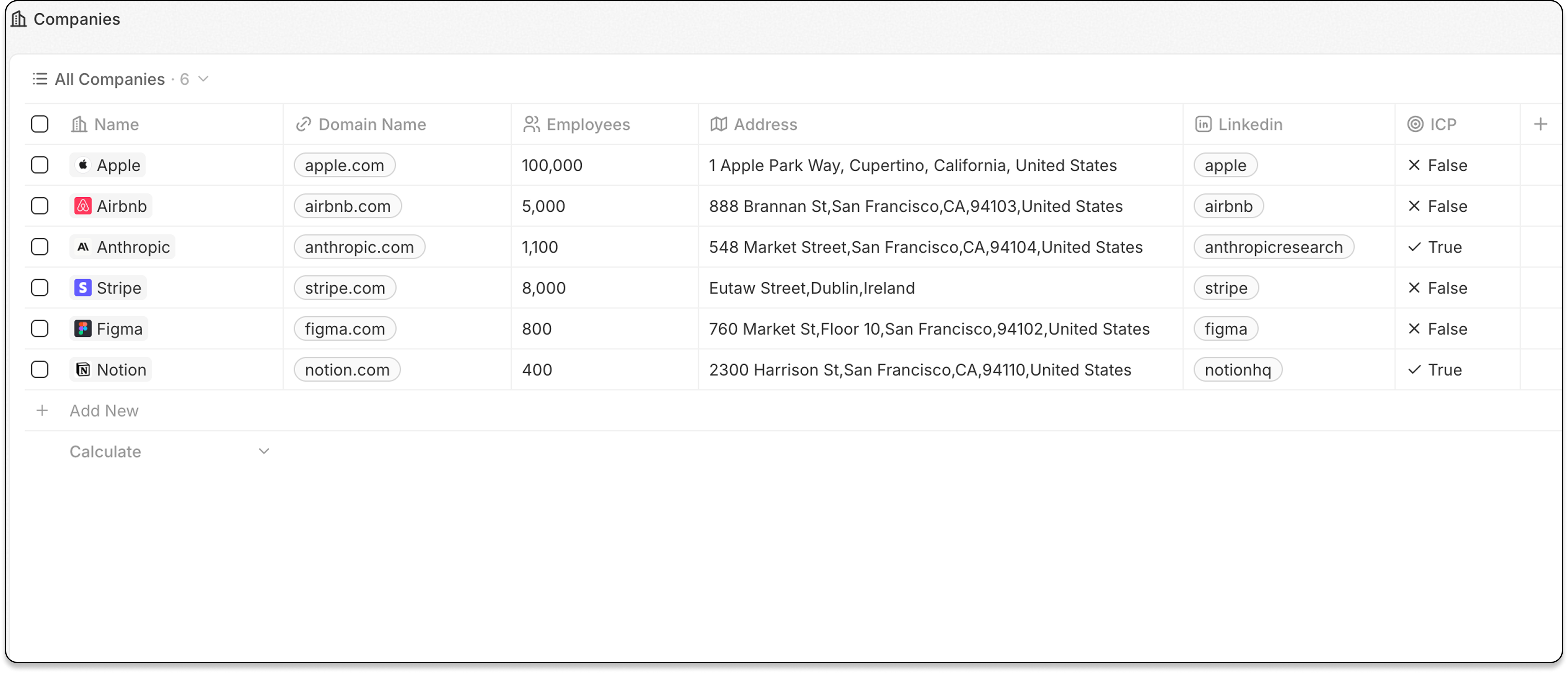
Table views display records in rows with customizable columns—like a spreadsheet. This is the default view type for most objects.
 ## Features
### Column Configuration
* Show or hide columns (fields)
* Resize column widths
* Reorder columns by dragging
### Group By a Select Field
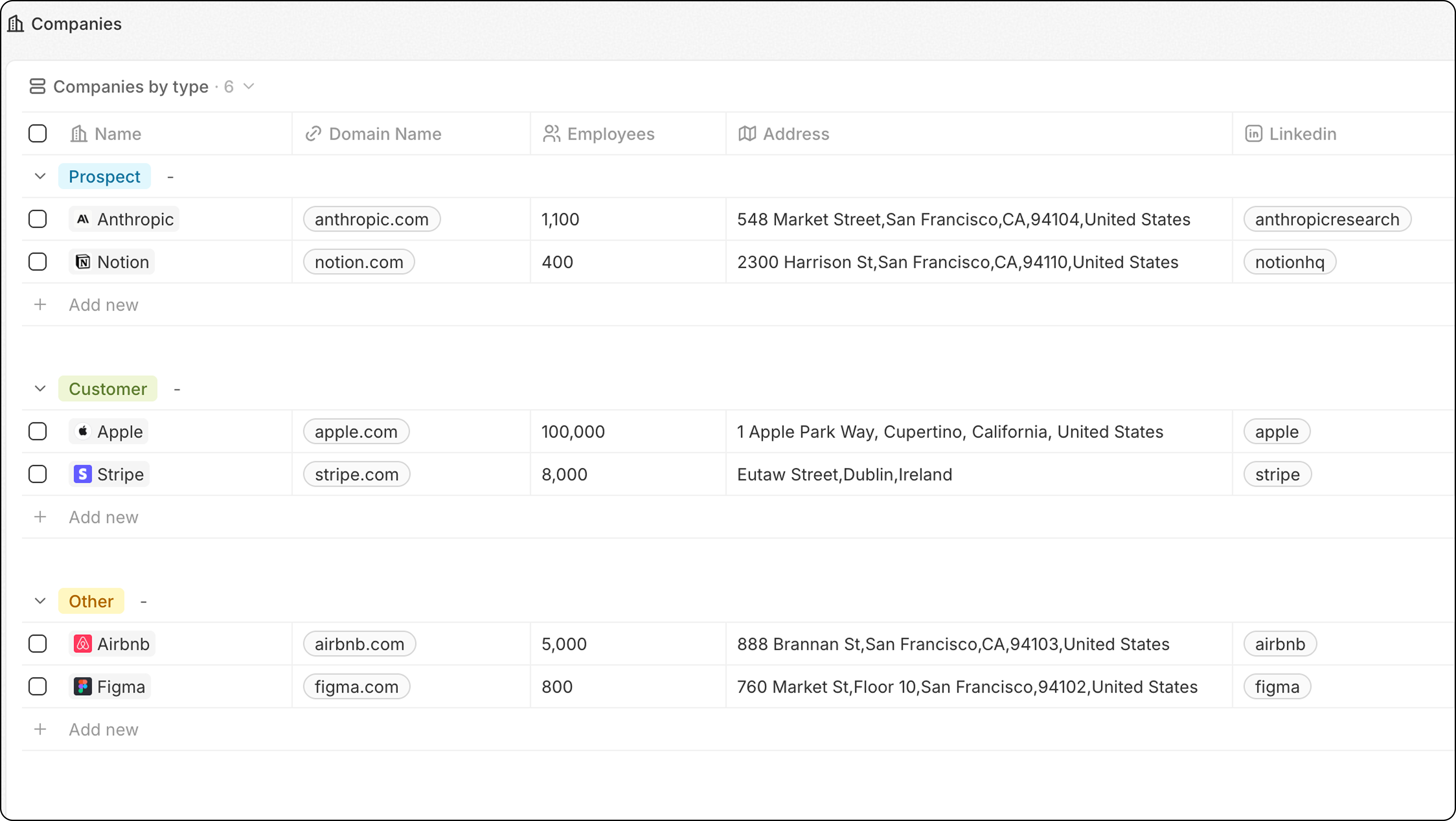
Organize records into collapsible groups based on a field of select type.
## Features
### Column Configuration
* Show or hide columns (fields)
* Resize column widths
* Reorder columns by dragging
### Group By a Select Field
Organize records into collapsible groups based on a field of select type.
 1. Click **Options**
2. Select **Group**
3. Choose a Select field
4. Configure group order under **Options → Group → Sort**:
* **Alphabetical** or **Reverse alphabetical**
* **Manual order**: Drag groups under "Visible groups" to reorder
* Click the **eye icon** next to a group to hide it
**Use cases:**
* Group Company by Type
* Group Opportunities by Stage
* Group Tasks by Status
**For best performance, limit to 10-15 visible groups per view.** If you need more groups, consider using a Dashboard instead.
### Column Widths
Resize columns to show more or less content:
1. Hover between two column headers
2. Click and drag the column border
3. Release to set the new width
## When to Use Table Views
Table views work best for:
* **Browsing large datasets** — scan many records quickly
* **Data entry** — edit multiple records efficiently
* **Detailed analysis** — see many fields at once
* **Sorting and filtering** — find specific records
## Related
* [Fields and Columns](/user-guide/views-pipelines/capabilities/fields-and-columns) — configuring which fields to display
* [Filters and Sorting](/user-guide/views-pipelines/capabilities/filters-and-sorting) — narrowing down records
1. Click **Options**
2. Select **Group**
3. Choose a Select field
4. Configure group order under **Options → Group → Sort**:
* **Alphabetical** or **Reverse alphabetical**
* **Manual order**: Drag groups under "Visible groups" to reorder
* Click the **eye icon** next to a group to hide it
**Use cases:**
* Group Company by Type
* Group Opportunities by Stage
* Group Tasks by Status
**For best performance, limit to 10-15 visible groups per view.** If you need more groups, consider using a Dashboard instead.
### Column Widths
Resize columns to show more or less content:
1. Hover between two column headers
2. Click and drag the column border
3. Release to set the new width
## When to Use Table Views
Table views work best for:
* **Browsing large datasets** — scan many records quickly
* **Data entry** — edit multiple records efficiently
* **Detailed analysis** — see many fields at once
* **Sorting and filtering** — find specific records
## Related
* [Fields and Columns](/user-guide/views-pipelines/capabilities/fields-and-columns) — configuring which fields to display
* [Filters and Sorting](/user-guide/views-pipelines/capabilities/filters-and-sorting) — narrowing down records