
Overview
Twenty supports importing relationships between objects during CSV import. This allows you to link records (e.g., attach People to Companies) as part of your data migration.Currently supported for import: One-to-many relations pointing to a single object type on each side (e.g., People → Companies). Relations pointing to multiple object types are not yet supported in import/export.
How Relations Work in Twenty
One to Many / Many to One
Twenty supports standard relations where one record links to many others:- One Company → Many People: A company can have multiple employees, but each person belongs to one company
- One Company → Many Opportunities: A company can have multiple deals, but each opportunity belongs to one company
Relations That Can Point to Multiple Object Types
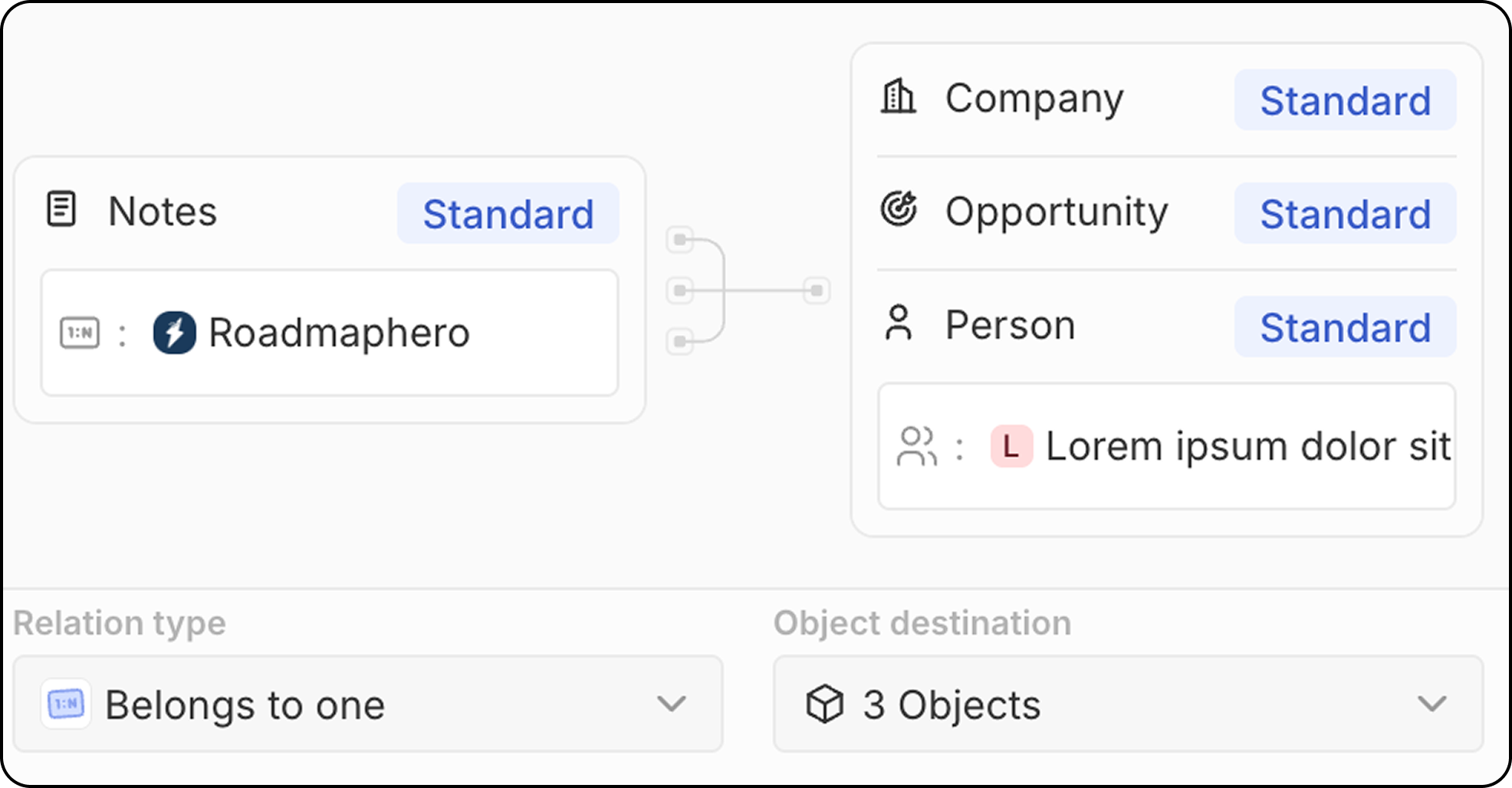
Some relations can connect to different types of objects. This works in two ways: Pattern 1: Many records linking to one record each from different object types Several Notes or Tasks can each be attached to multiple object types at once:- Notes can be linked to one Person, one Company, and one Opportunity simultaneously
- Tasks can be linked to one Person, one Company, and one Opportunity simultaneously
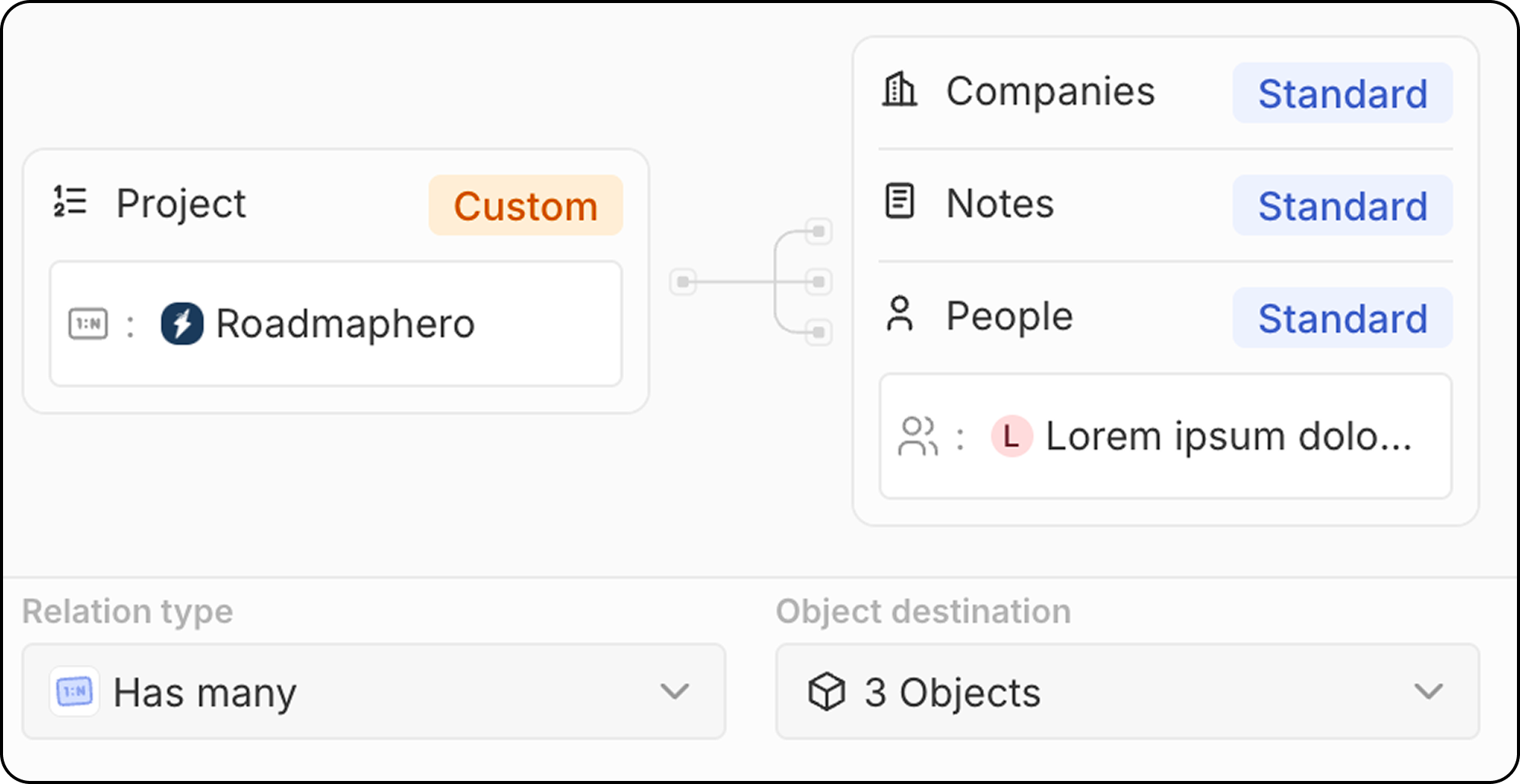
- A Project can have many People linked to it, many Companies linked to it, and many Notes attached to it
What’s Not Supported Today
Many to Many relations are not yet available. For example, you cannot currently create a relation where:- Many People are linked to many Projects
Many to Many relations are planned for H2 2026.
Linking Records During Import
Reminder: Only one-to-many relations pointing to a single object type can be imported (e.g., People → Companies). Relations pointing to multiple object types (e.g., Notes → People/Companies/Opportunities) are not yet supported.
Step 1: Identify the “One” and “Many” Sides
First, determine which object is on the “one” side and which is on the “many” side of the relationship. Example:- Company is the “one” side (one company has many employees)
- People is the “many” side (each person belongs to one company)
Step 2: Ensure the “One” Side Records Exist
Before importing the “many” side, the “one” side records must already exist in Twenty.- Import or create the “one” side records first (e.g., Companies)
- Validate their unique identifier. This can be:
- The
id(Twenty’s UUID) - A field set as unique (e.g.,
domainfor Companies, or an external ID from your previous system)
- The
Step 3: Prepare Your CSV File
Add a column in your “many” side CSV file that references the “one” side record. Example: For a People CSV file linking to Companies:- The value must exactly match the unique field on the Company record
- For domains, use the Domain URL (e.g.,
https://acme.com), not the Domain Label - Map only one unique identifier per relation: this leads to a smoother import
Step 4: Ensure the Relation Field Exists
Before uploading your file, make sure the relation field exists between your objects. If it doesn’t exist:- Go to Settings → Data Model
- Select your object (e.g., People)
- Create a relation field pointing to the target object (e.g., Company)
Step 5: Upload and Map the Relation
- Upload your CSV file via the import UI
- In the field mapping step, find your relation column (e.g.,
companyDomain) - Map it to the relation field (e.g., Company)
- Twenty will automatically link each record to the matching parent
Available Unique Fields for Relations
Linking to Workspace Members: When the relation points to Workspace Members (your team logging into Twenty), reference them by their email address, not their name.
We recommend using
domain for Companies and email for People, as these are human-readable and easy to maintain in spreadsheets.Reminder: Soft-deleted records (visible under Command Menu → See deleted records) count toward uniqueness criteria. If you import a record with the same unique value as a deleted record, the deleted record will be restored. See Uniqueness Constraints for more details.