
Types of Relations
One-to-Many
One record in Object A can be linked to many records in Object B. Example: One Company can have many People (employees).Many-to-One
Many records in Object A can be linked to one record in Object B. Example: Many People can belong to one Company.Relations to Multiple Object Types
Some objects can link to multiple object types on one side of the relation. Example: A Note can be attached to one Person AND one Company AND one Opportunity simultaneously. The Note is on the “many” side, connecting to multiple “one” sides.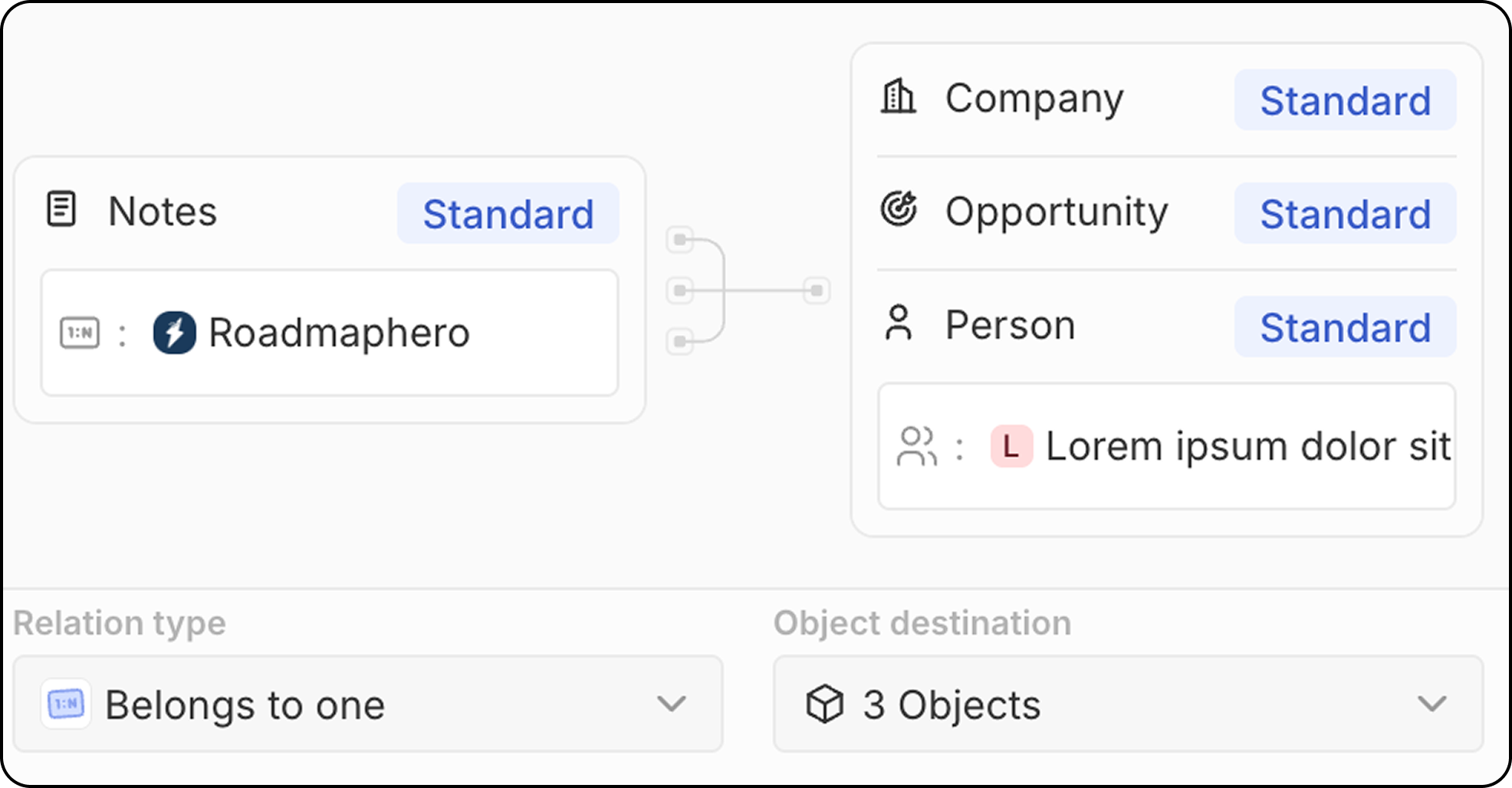
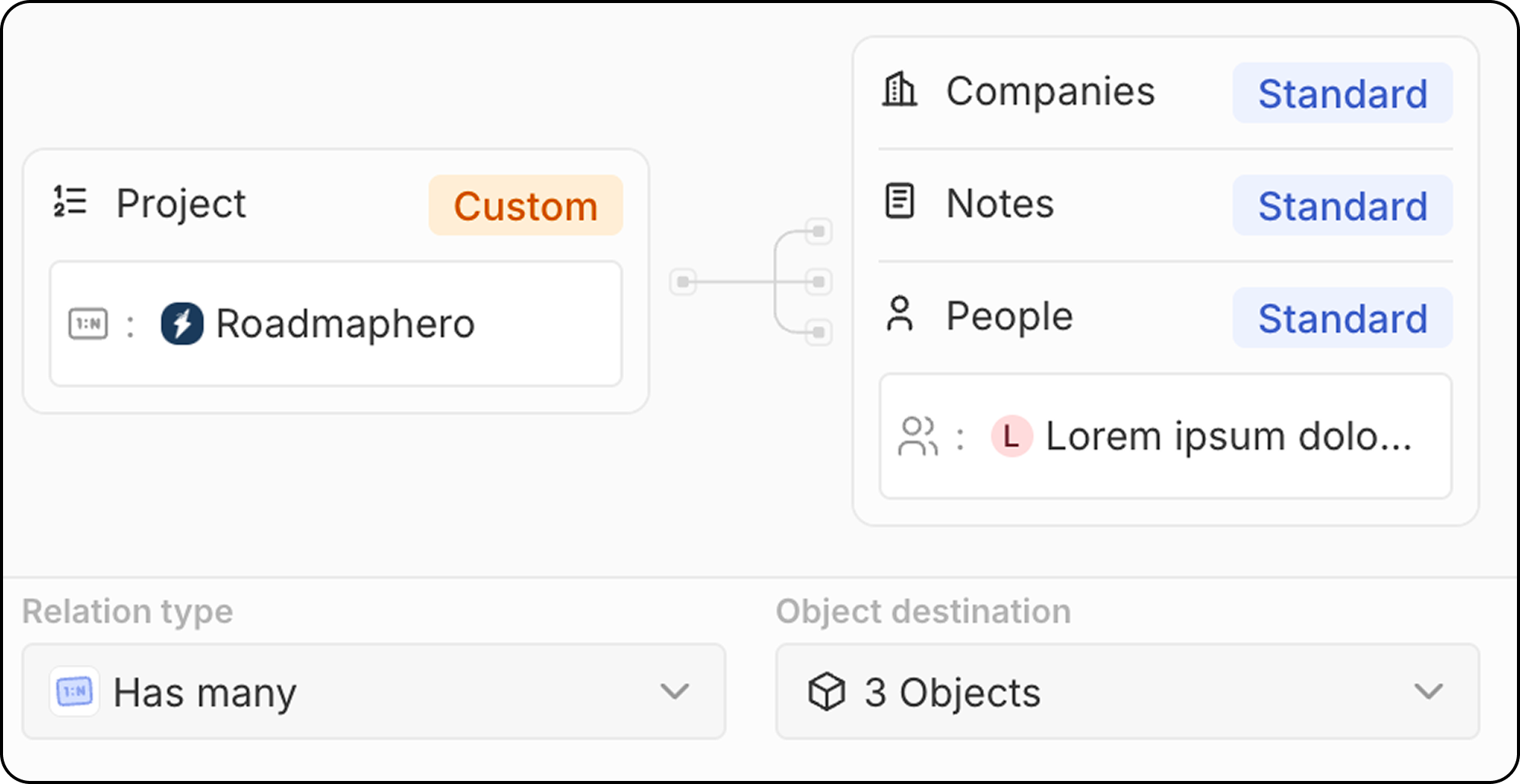
Many-to-Many
Many records in Object A can be linked to many records in Object B. Example: Many People can be linked to many Projects, and vice versa. Many-to-many relations use a junction object pattern: an intermediate object that connects both sides. With the junction relation feature, Twenty displays the final linked records directly, hiding the intermediate object from the UI. See How to Create Many-to-Many Relations for a complete step-by-step guide.Creating a Relation Field
- Go to Settings → Data Model
- Select the object where you want to add the relation
- Click + New field
- Select Relation as the field type
- Choose the target object(s) to relate to
- Configure the relation settings:
- Field name on source object: The name of the relation field on the object you’re editing
- Field name on destination object: The name of the relation field that will appear on the target object
- Relation type (one-to-many, many-to-one)
- Click Save
Standard Relations
Twenty comes with pre-built relations between standard objects:Best Practices
Planning Relations
- Map your data model: Plan relations before creating them
- Consider direction: Think about which object “owns” the relationship
- Avoid circular dependencies: Keep your data model clean
Naming Relations
- Use clear names: Make it obvious what the relation represents
- Be consistent: Use similar naming patterns across relations
- Consider both sides: Name both sides of the relation appropriately
Performance
- Don’t over-relate: Too many relations can slow down your workspace
Limitations
- Deleting relations removes the link but not the related records
- Circular relations should be avoided for data integrity