Documentation Index
Fetch the complete documentation index at: https://docs.twenty.com/llms.txt
Use this file to discover all available pages before exploring further.
Use this pattern to keep Twenty in sync with product data from your data warehouse (e.g., Snowflake, BigQuery, PostgreSQL).
Workflow Structure
- Trigger: On a Schedule
- Code: Query your data warehouse
- Code (optional): Format data as array
- Iterator: Loop through each product
- Upsert Record: Create or update in Twenty
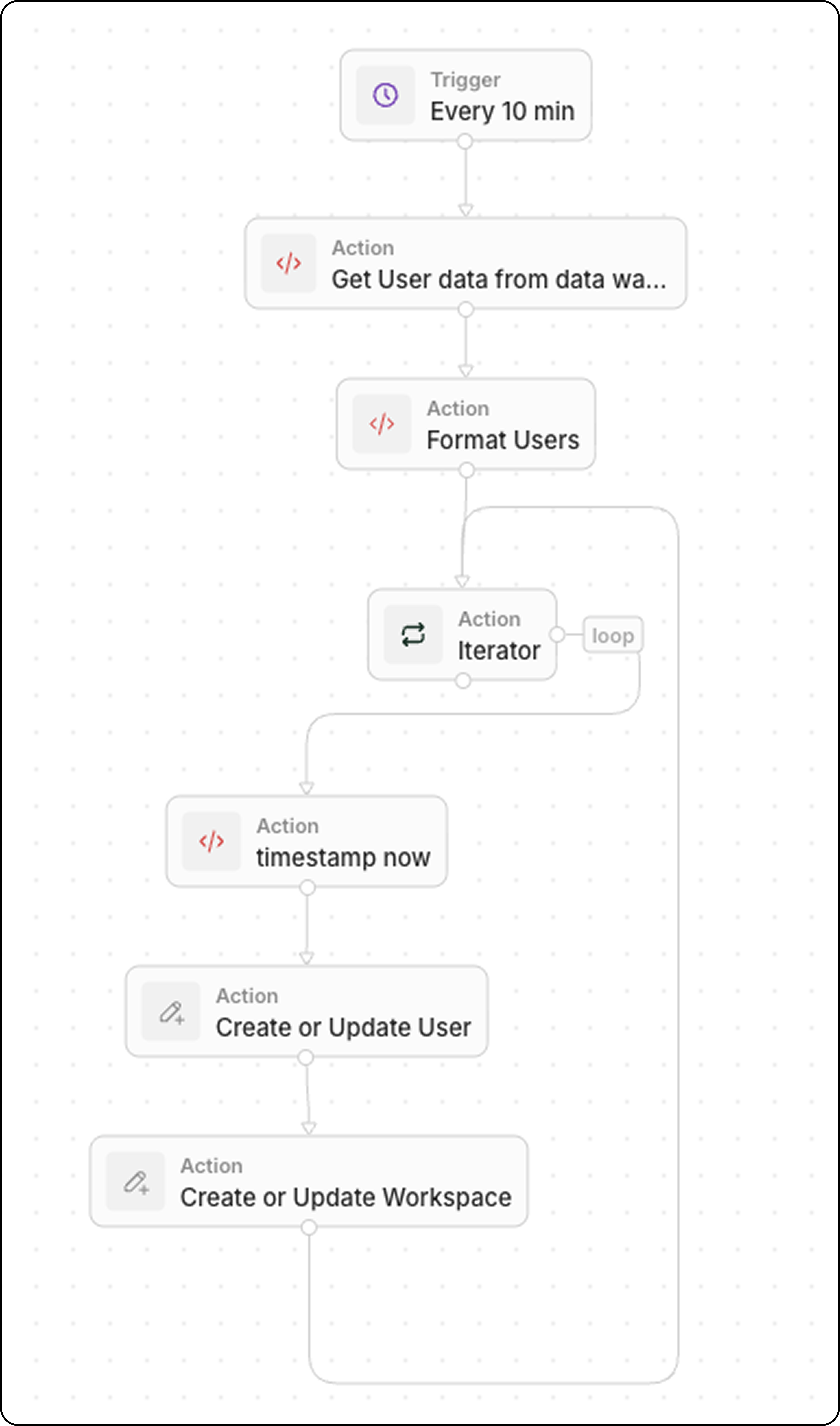
Step 1: Schedule the Trigger
Set the workflow to run at a frequency matching your data freshness needs:
- Every 5 minutes for near real-time sync
- Every hour for less critical data
- Daily for batch updates
Step 2: Query Your Data Warehouse
Add a Code action to fetch recent data:
export const main = async () => {
const intervalMinutes = 10; // Match your schedule frequency
const cutoffTime = new Date(Date.now() - intervalMinutes * 60 * 1000).toISOString();
// Replace with your actual data warehouse connection
const response = await fetch("https://your-warehouse-api.com/query", {
method: "POST",
headers: {
"Authorization": "Bearer YOUR_API_KEY",
"Content-Type": "application/json"
},
body: JSON.stringify({
query: `
SELECT id, name, sku, price, stock_quantity, updated_at
FROM products
WHERE updated_at >= '${cutoffTime}'
`
})
});
const data = await response.json();
return { products: data.results };
};
Filter by updated_at >= last X minutes to retrieve only recently changed records. This keeps the sync efficient.
If your warehouse returns data in a format that needs transformation, add another Code action. Common transformations include type conversions, field renaming, and data cleanup.
Example: User Data with Boolean and Status Fields
export const main = async (params: {
users: any;
}): Promise<object> => {
const { users } = params;
const usersFormatted = typeof users === "string" ? JSON.parse(users) : users;
// Convert string "true"/"false" to actual booleans
const toBool = (v: any) => v === true || v === "true";
return {
users: usersFormatted.map((user) => ({
...user,
activityStatus: String(user.activityStatus).toUpperCase(),
isActiveLast30d: toBool(user.isActiveLast30d),
isActiveLast7d: toBool(user.isActiveLast7d),
isActiveLast24h: toBool(user.isActiveLast24h),
isTwenty: toBool(user.isTwenty),
})),
};
};
Example: Product Data with Type Conversions
export const main = async (params: { products: any }) => {
const products = typeof params.products === "string"
? JSON.parse(params.products)
: params.products;
return {
products: products.map(product => ({
externalId: product.id,
name: product.name,
sku: product.sku,
price: parseFloat(product.price), // String → Number
stockQuantity: parseInt(product.stock_quantity),
isActive: product.status === "active" // String → Boolean
}))
};
};
export const main = async (params: { deals: any }) => {
const deals = typeof params.deals === "string"
? JSON.parse(params.deals)
: params.deals;
return {
deals: deals.map(deal => ({
...deal,
// Convert Unix timestamp to ISO date
closedAt: deal.closed_timestamp
? new Date(deal.closed_timestamp * 1000).toISOString()
: null,
// Ensure amount is a number (remove currency symbols)
amount: parseFloat(String(deal.amount).replace(/[^0-9.-]/g, "")),
// Normalize stage names
stage: deal.stage?.toLowerCase().replace(/_/g, " ")
}))
};
};
| Source Format | Target Format | Code |
|---|
"true" / "false" | true / false | v === true || v === "true" |
"123.45" | 123.45 | parseFloat(value) |
"active" | "ACTIVE" | value.toUpperCase() |
1704067200 (Unix) | ISO date | new Date(v * 1000).toISOString() |
"$1,234.56" | 1234.56 | parseFloat(v.replace(/[^0-9.-]/g, "")) |
null / undefined | "" | value || "" |
Step 4: Iterate Through Products
Add an Iterator action:
This loops through each product in the array.
Step 5: Upsert Each Record
Inside the iterator, add an Upsert Record action:
| Setting | Value |
|---|
| Object | Your custom Product object |
| Match by | External ID or SKU (unique identifier) |
| Name | {{iterator.item.name}} |
| SKU | {{iterator.item.sku}} |
| Price | {{iterator.item.price}} |
Use Upsert (update or create) instead of building separate branches for create vs. update. It’s faster to build and easier to debug.
Example Use Cases
| Source | Data |
|---|
| ERP system | Product catalog, pricing, inventory |
| E-commerce platform | Orders, customers, product updates |
| Data warehouse | Aggregated metrics, enriched data |
| Inventory system | Stock levels, reorder alerts |