
Pourquoi les Workflows sont importants
Twenty a été conçu pour offrir une flexibilité maximale à ses utilisateurs. Plutôt que de vous obliger à adapter vos processus métier à des fonctionnalités rigides et préconstruites, les workflows vous permettent de créer des automatisations qui créent le CRM qui soutient au mieux vos cas d’utilisation unique. Les workflows sont la fonctionnalité intégrée de Twenty pour construire ces automatisations. Ils vous donnent les éléments de base pour créer exactement ce dont votre entreprise a besoin, au moment où elle en a besoin.Que puis-je faire avec les workflows?
Nous recommandons de créer des automatisations pour deux objectifs principaux :- Automatisations internes pour faciliter le quotidien de votre équipe : Réduisez le nombre d’entrées manuelles et les tâches répétitives qui ralentissent votre équipe.
- Importez et exportez des données de Twenty : Connectez Twenty via des appels API et des webhooks à votre base de données et à d’autres outils.
Créer votre premier flux de travail
Étape 1 : Créer un nouveau flux de travail
- Accédez à Workflows accessible sous les autres objets
- Cliquez sur + New Record
- Donnez un nom à votre flux de travail
Étape 2 : Ajouter un déclencheur
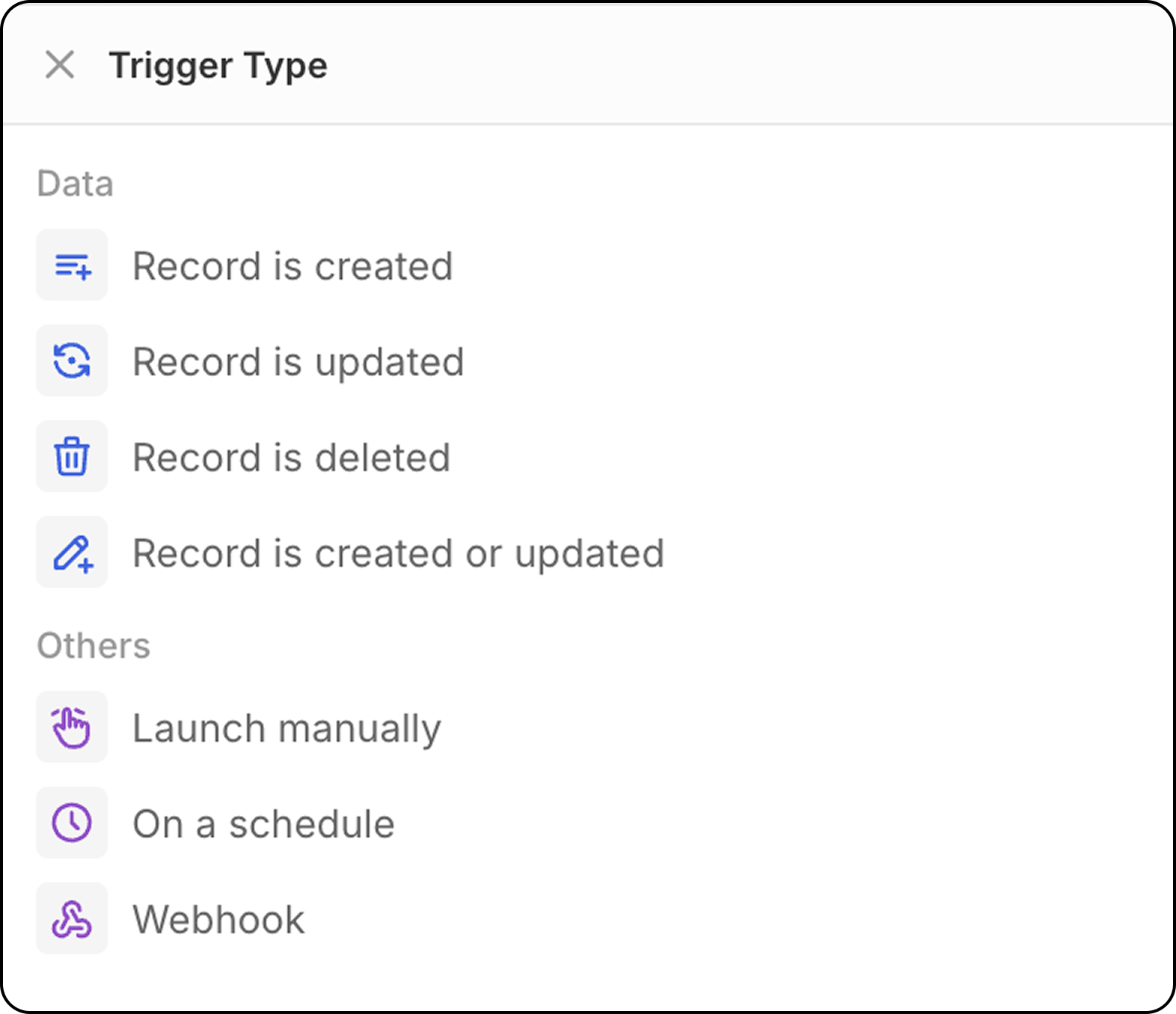
Chaque flux de travail commence par un déclencheur. Choisissez parmi :- Record events : Lorsqu’un enregistrement est créé, mis à jour ou supprimé
- Schedule : S’exécute à des moments spécifiques (quotidien, hebdomadaire, etc.)
- Manual : Déclenché par une action utilisateur
- Webhook : Déclenché par un webhook
Étape 3 : Ajouter des actions
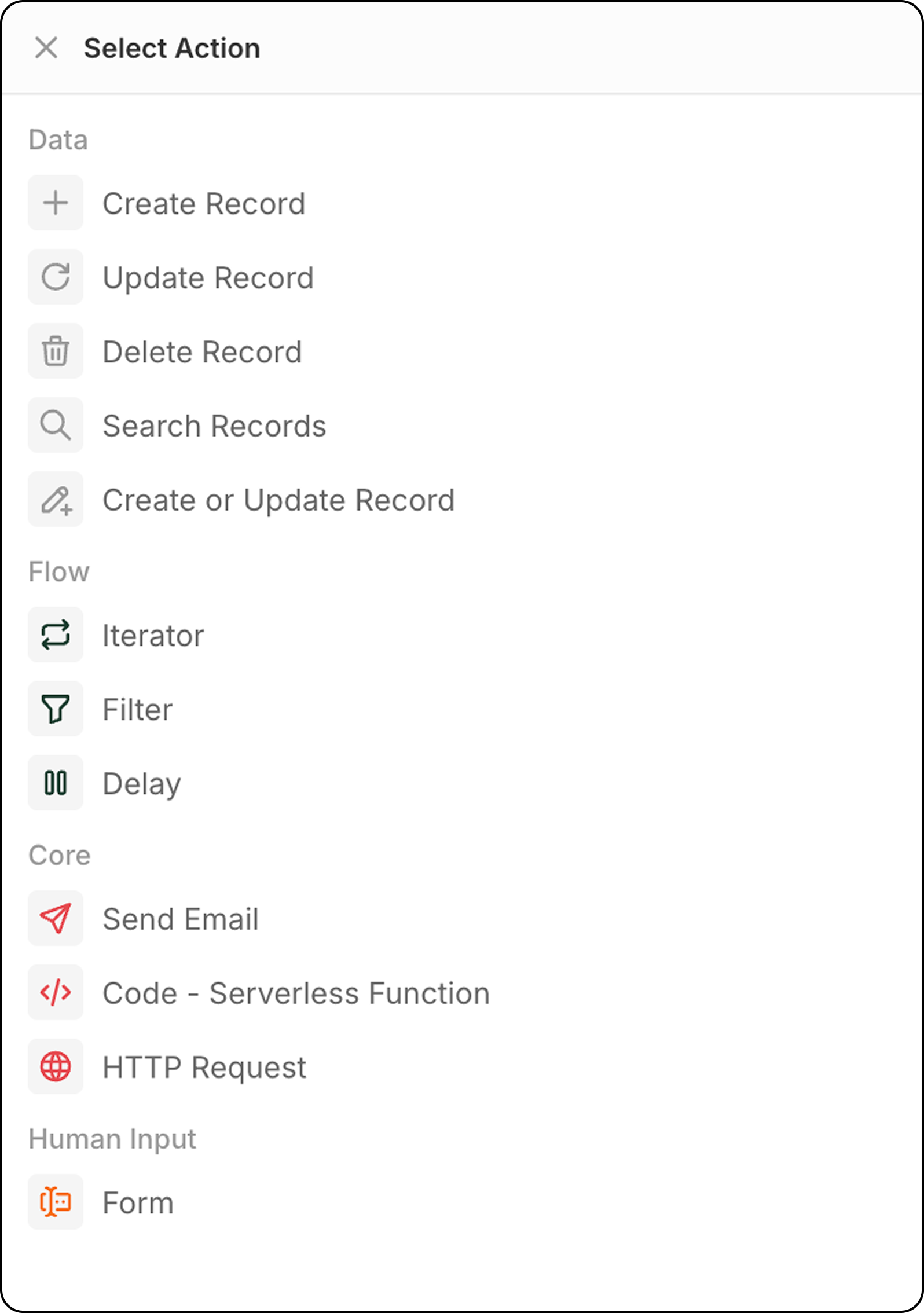
Après votre déclencheur, ajoutez une ou plusieurs actions :- Create Record : Ajouter de nouveaux enregistrements à n’importe quel objet
- Update Record : Modifier les données d’un enregistrement existant
- Delete Record : Supprimer des enregistrements des objets
- Search Records : Trouver des enregistrements correspondant à des critères
- Upsert Record : Créer ou mettre à jour en fonction de critères de correspondance
- Iterator : Parcourir des tableaux d’enregistrements
- Filter : Contrôler quels enregistrements continuent
- Delay : Attendre avant de continuer (durée ou date planifiée)
- Send Email : Envoyer des e-mails via votre compte connecté
- Code : Exécuter du JavaScript personnalisé
- HTTP Request : Appeler des API externes
- Form : Obtenir des saisies des utilisateurs dans l’interface Twenty au moment de l’exécution
- AI Agent (Bientôt disponible) : Exécuter des tâches d’IA intelligentes
Étape 4 : Tester et activer
- Utilisez le bouton Test pour exécuter votre flux de travail avec des données d’exemple
- Examinez les résultats pour vous assurer qu’il fonctionne comme prévu
- Basculez le flux de travail sur Active lorsque vous êtes prêt
Meilleures Pratiques des Workflows
- Renommer les étapes : Renommez les étapes de votre workflow pour décrire clairement ce que fait chacune. Cela aide à la maintenance et facilite le transfert à des collègues.
- Utiliser les données des étapes précédentes : Vous pouvez utiliser des champs provenant des enregistrements renvoyés par n’importe quelle étape précédente de votre workflow.
- Commencez simple : Débutez avec des workflows basiques et ajoutez de la complexité au fil du temps à mesure que vous maîtrisez le système.
- Planifiez avant de construire : Planifiez la logique de votre workflow avant de commencer à construire pour éviter de vous bloquer en cours de route.