
À propos des déclencheurs
Les flux de travail commencent toujours par un seul déclencheur qui définit quand l’automatisation doit s’exécuter.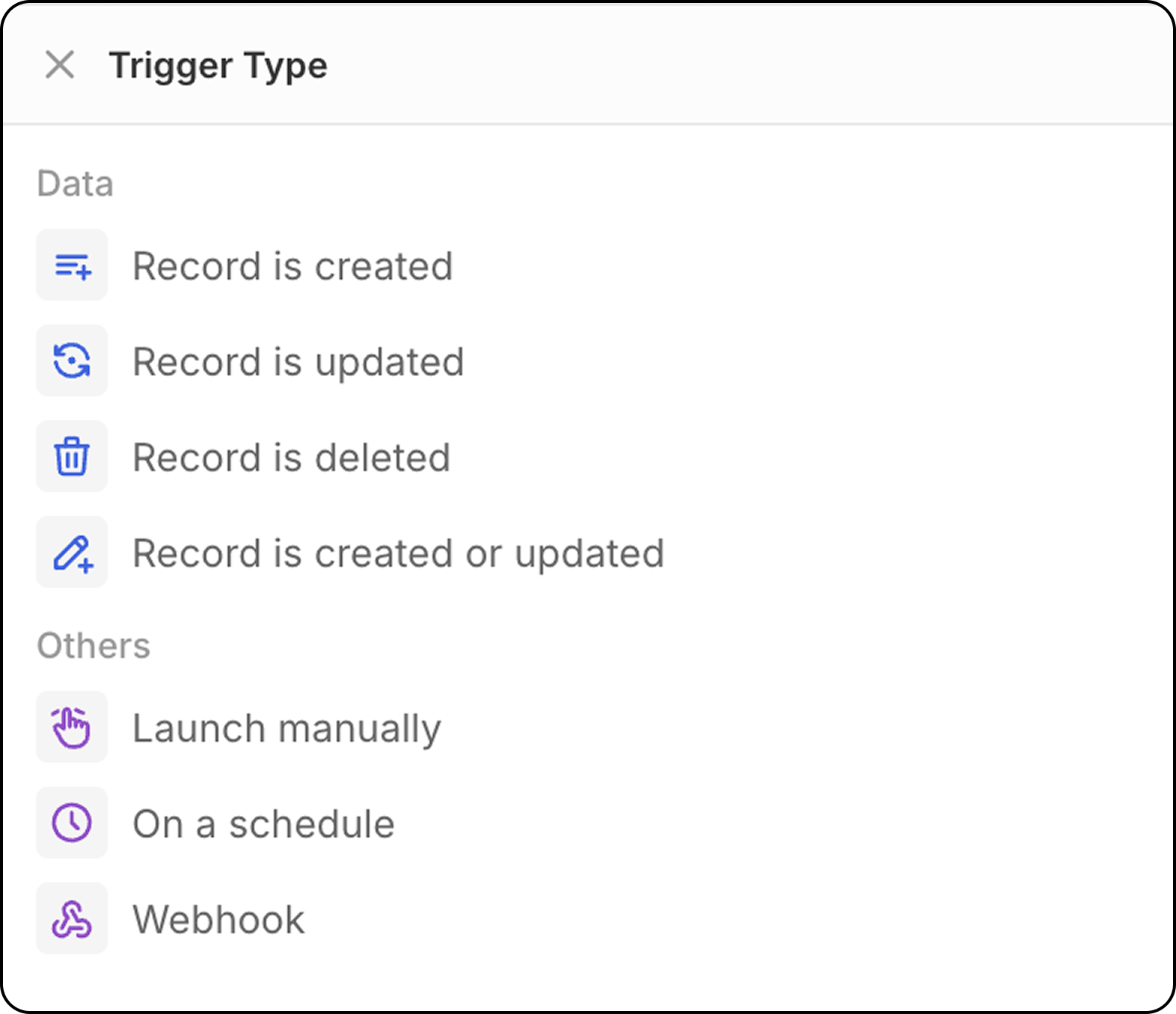
Un enregistrement est créé
Démarre le flux de travail lorsqu’un nouvel enregistrement est créé dans un objet sélectionné (Personnes, Entreprises, Opportunités, ou tout objet personnalisé). Configuration: Sélectionnez le type d’objet à surveiller pour les nouveaux enregistrements.- Ce déclencheur est idéal pour les enregistrements créés par CSV, boîte aux lettres et synchronisation de calendrier, ou API.
- Il n’est pas recommandé pour les enregistrements créés manuellement : avec ce déclencheur, les flux de travail démarrent dès que l’enregistrement est créé. Puisque 20 UI propose l’enregistrement automatique à la volée (il n’y a pas de mode d’édition, puis une validation pour enregistrer les enregistrements), le workflow sera déclenché avant que l’utilisateur ne saisisse tous les champs.
Pour déclencher ce flux de travail sur des enregistrements créés manuellement, il est recommandé d’utiliser plutôt le déclencheur
Record is created or updated.
Un enregistrement est mis à jour
Démarre le flux de travail lorsque des modifications sont apportées à un enregistrement existant. Configuration:- Sélectionnez le type d’objet
- Spécifiez éventuellement quels champs surveiller pour les changements
Un enregistrement est mis à jour ou créé
Démarre le flux de travail lorsqu’un enregistrement est soit créé soit mis à jour dans un objet sélectionné. Pourquoi est-ce important: Ce déclencheur est particulièrement utile car les enregistrements créés par différentes méthodes se comportent différemment :- Importations API/CSV : Les enregistrements sont créés avec tous les champs remplis immédiatement
- Création manuelle : Les enregistrements sont créés d’abord, puis les champs sont ajoutés lors de mises à jour ultérieures
- Sélectionnez le type d’objet à surveiller
- Spécifiez éventuellement quels champs surveiller pour les changements
- Le flux de travail se déclenchera à la fois lors de la création initiale et lors de mises à jour ultérieures
Un enregistrement est supprimé
Démarre le flux de travail lorsqu’un enregistrement est supprimé d’un objet. Configuration: Sélectionnez le type d’objet à surveiller pour les suppressions.Déclencheur manuel
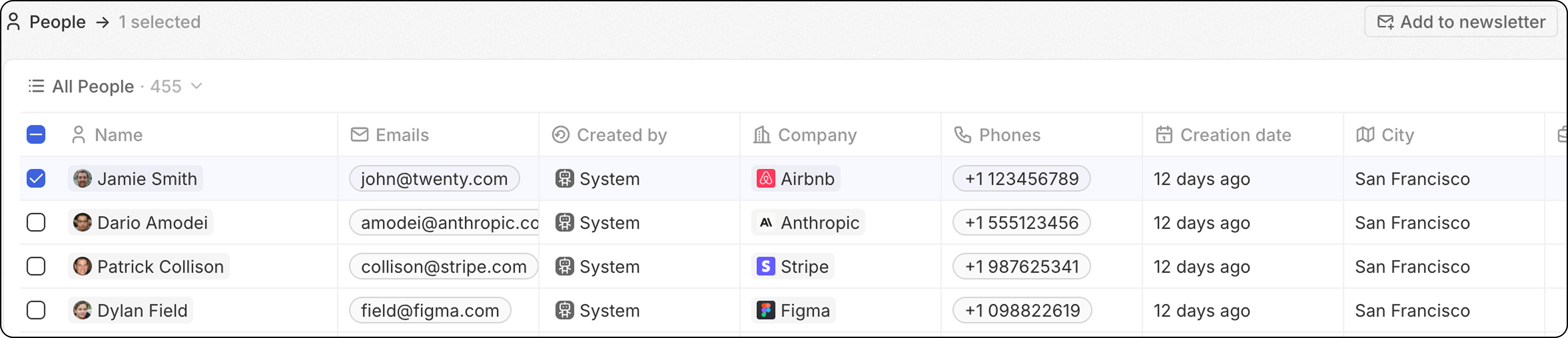
Démarre le flux de travail lorsqu’il est déclenché par une action de l’utilisateur. Ce déclencheur est accessible via le menuCmd+K ou via un bouton personnalisé qui s’affichera dans la barre de navigation supérieure après avoir sélectionné un ou plusieurs enregistrements.
- Global : Aucun enregistrement n’est requis pour déclencher ce flux de travail. Le workflow est déclenché depuis le menu de commande
Cmd+Kn’importe où (depuis n’importe quel objet) et n’utilise pas d’enregistrement(s) en entrée.
-
Single: Le workflow s’exécutera du début à la fin autant de fois qu’il y a des enregistrements sélectionnés.
Limite souple : 100 exécutions/minute. Au-delà de cela, les flux de travail restent au statut “Not Started” et sont traités progressivement — soit par une tâche en arrière-plan, soit lorsqu’un autre flux de travail entre dans la file d’attente. Cela signifie que vous pouvez sélectionner plus de 100 enregistrements avec un déclencheur unique ; l’exécution sera simplement plus lente.
- En vrac : Le workflow s’exécutera une fois, fournissant la liste complète des enregistrements en entrée. Cela signifie que le flux de travail doit contenir une Action d’itération.
C’est plus avancé, et idéal pour les personnes qui souhaitent optimiser le nombre d’exécutions de flux de travail.
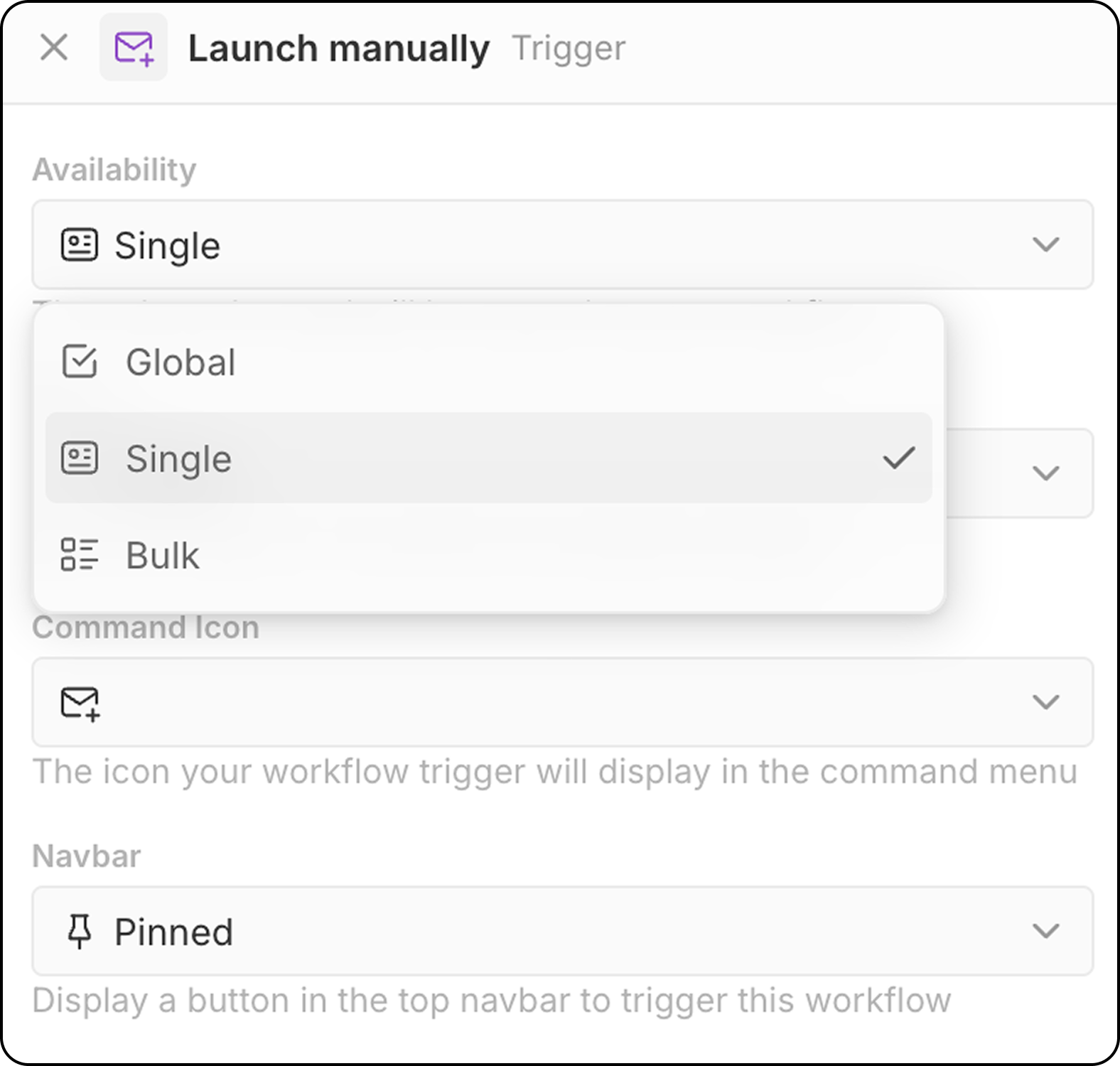
- Sélectionnez l’objet cible (pour disponibilité Unique et en masse)
- Choisissez une icône de commande pour le déclencheur de flux de travail
- Configurez le placement dans la barre de navigation (Épinglé ou Non épinglé)
- Menu
Cmd+Kpour trouver et lancer des flux de travail manuels - Bouton personnalisé dans la barre de navigation supérieure (si configuré)
Déclencheur basé sur le temps : sur un planning
Démarre le flux de travail sur une base récurrente que vous définissez. Configuration:- Sélectionnez l’unité de temps (minutes, heures, jours)
- Entrez une valeur ou utilisez des expressions cron personnalisées pour une planification avancée
Fuseau horaire : Les flux de travail planifiés s’exécutent en UTC. Lors de la définition des heures pour les plannings quotidiens, convertissez votre heure locale en UTC.
Déclencheur externe : Webhook
Démarre le flux de travail lorsqu’une requête GET ou POST est reçue d’un service externe.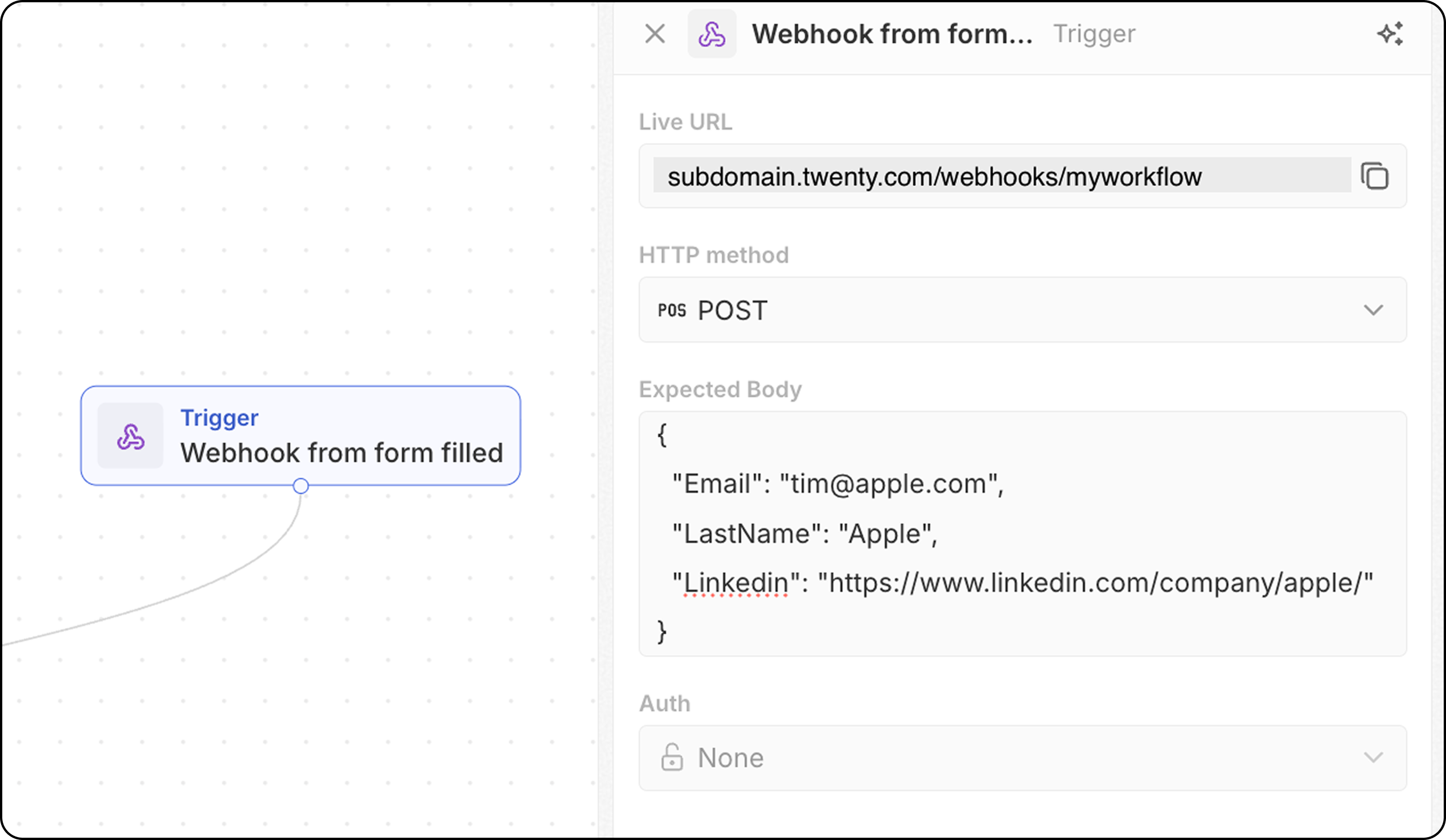
- Le flux de travail fournit une URL de webhook unique — copiez-la et ajoutez-la à votre système externe comme point de terminaison à appeler.
- Pour les requêtes POST, définissez la structure attendue du corps afin que Twenty sache quelles données attendre. Ajoutez ici les champs que vous recevrez et qui seront nécessaires plus bas dans votre flux de travail.
- Configurez l’authentification (bientôt disponible).