
حول عرض كانبان.
توضح عروض كانبان التدفقات العملية بشكل مرئي، حيث يرمز كل عمود إلى مرحلة محددة وكل بطاقة تمثل سجل.انقل البطاقات بين المراحل
يمكنك نقل كل بطاقة بين المراحل بينما تمر عبر سير العمل الخاص بك بالنقر على البطاقة وحفظها، ثم سحبه إلى المرحلة التالية.إضافة المراحل وحذفها
يمكنك تصميم سير العمل الخاص بك بما يناسب احتياجاتك باستخدام المراحل، وكل منها يمثل قيمة في حقل محدد:إضافة المراحل
لإضافة مرحلة، الوصول إلى إعدادات الحقل المحدد عن طريق الانتقال إلى الإعدادات> نموذج البيانات، تحديد الكائن الخاص بك، ثم تحديد الحقل الخاص بك لوحة كانبان يعتمد عليه.إزالة مراحل
لإزالة مرحلة، مرّر مؤشر الفأرة فوق اسم المرحلة أو أيقونة⋮، وانقر على تحرير من الإعدادات في إعدادات حقل التحديد، ثم انقر على حذف بجوار المرحلة ذات الصلة.
حقول العرض
يمكنك تكوين لوحة عرض كانبان لإظهار بعض الحقول وإخفاء الأخرى. لإظهار أو إخفاء الحقل، انقر فوق خيارات في أعلى اليمين، ثم على الحقول لعرض قائمة الخيارات، ثم انقر فوق أيقونة العين بجانب الحقل لإظهارها أو إخفائها. يمكنك أيضًا إعادة ترتيب ترتيب الحقول عن طريق الضغط باستمرار على اسم الحقل وسحبه إلى المكان الذي تريده.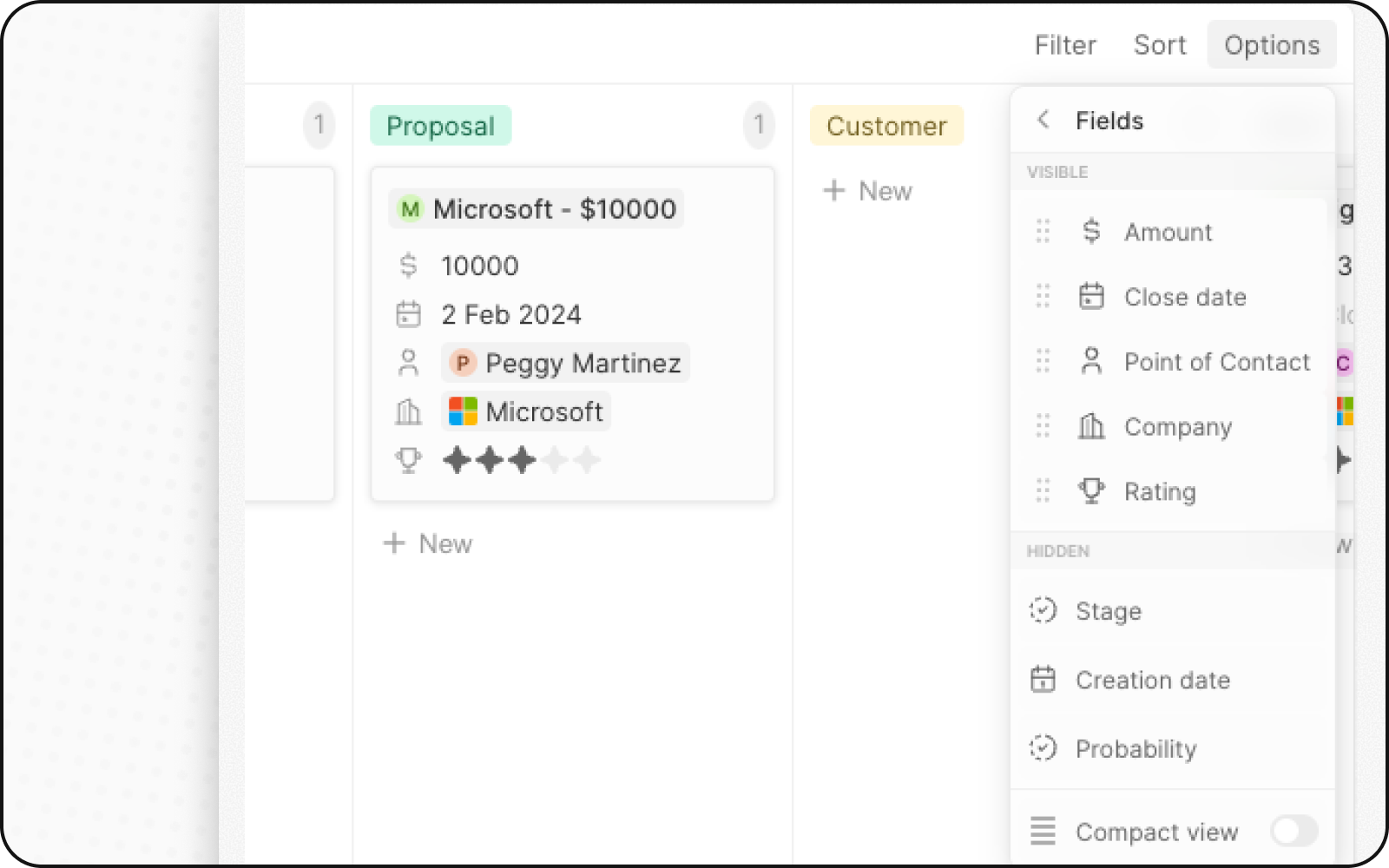
عرض مضغوط
يمكنك إخفاء جميع الحقول والحصول على لمحة عامة عن جميع السجلات. للتفعيل:- انقر على الخيارات في أعلى اليمين
- فعِّل مفتاح التبديل لخيار العرض المضغوط
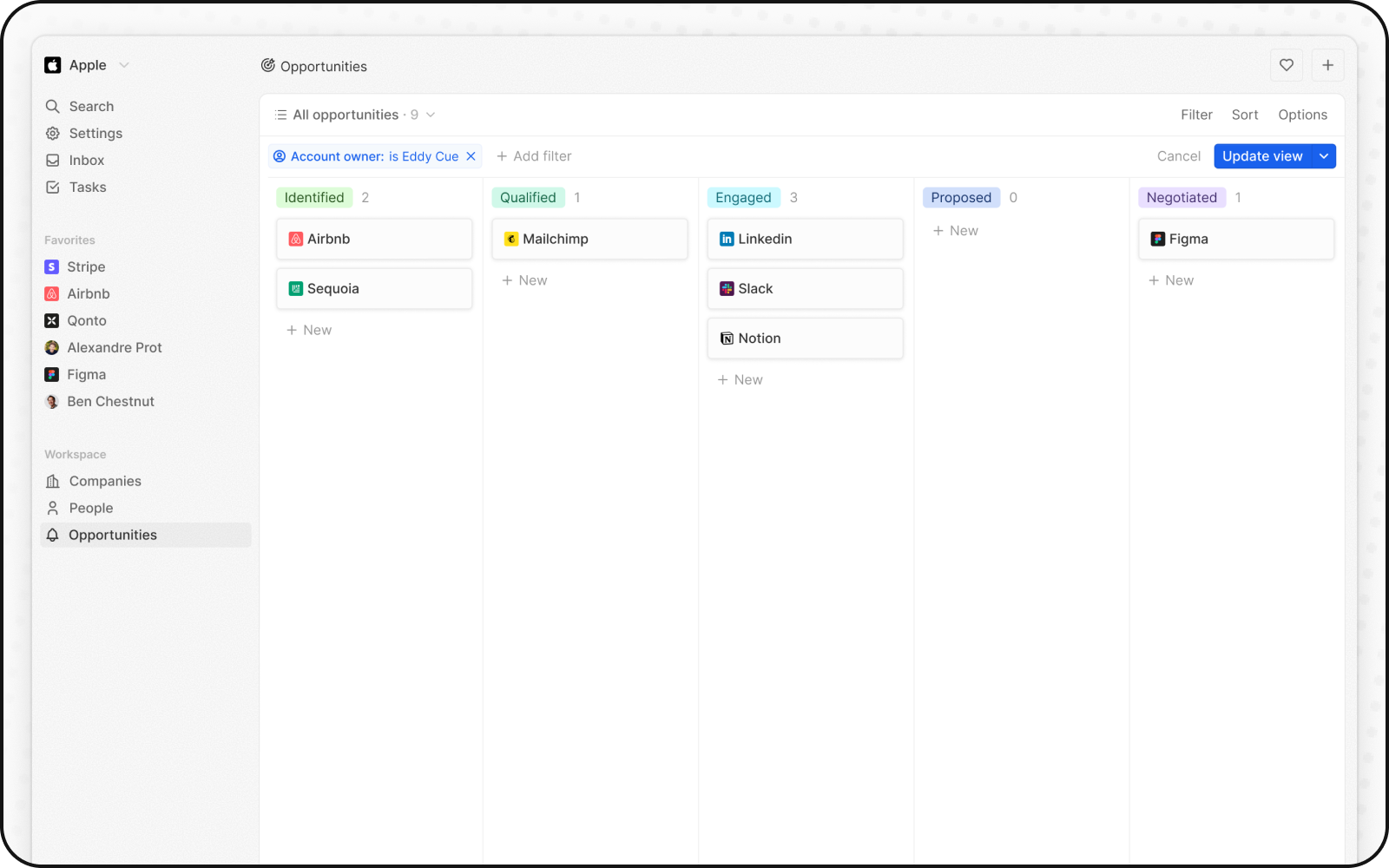
تجميعات الأعمدة
يمكن لكل عمود في طريقة عرض كانبان عرض قيم مُجمَّعة في الأعلى، مما يساعدك على فهم بياناتك بنظرة سريعة.التجميعات المتاحة
تكوين التجميعات
- انقر على الرقم المعروض بجوار قيمة المرحلة، في أعلى العمود
- اختر نوع التجميع
- اختر الحقل المراد تجميعه
متى يجب استخدام طرق عرض كانبان
طرق عرض كانبان مثالية لـ:- مسارات المبيعات: تتبّع الصفقات عبر المراحل من العميل المحتمل حتى الإغلاق
- إدارة المشاريع: راقِب المهام عبر حالات سير العمل
- التوظيف: تتبّع المرشحين عبر مراحل التوظيف
- أي عملية مرحلية: تصوّر أي سير عمل بمراحل محدّدة
أفضل الممارسات
نظّم مراحلَك
- حدّد عدد المراحل: من 5 إلى 7 مراحل مناسب للرؤية الواضحة
- تسمية واضحة: استخدم أسماء مراحل وصفية
- ترتيب منطقي: رتّب المراحل وفق ترتيب العملية
حسّن عرض البطاقات
- أظهر الحقول الرئيسية: اعرض المعلومات الأهم فقط
- استخدام عرض الاتفاق: للملاحظات العامة الرفيعة المستوى
- الترميز اللوني: استخدم ألوان المراحل للتعرّف السريع على الحالة
حافظ على جودة البيانات
- حدّث بانتظام: أبقِ البطاقات تتحرك عبر المراحل
- أرشِف العناصر المكتملة: انقل العناصر المغلقة خارج طريقة العرض النشطة
- راجع البطاقات الراكدة: تابِع البطاقات العالقة في المراحل