
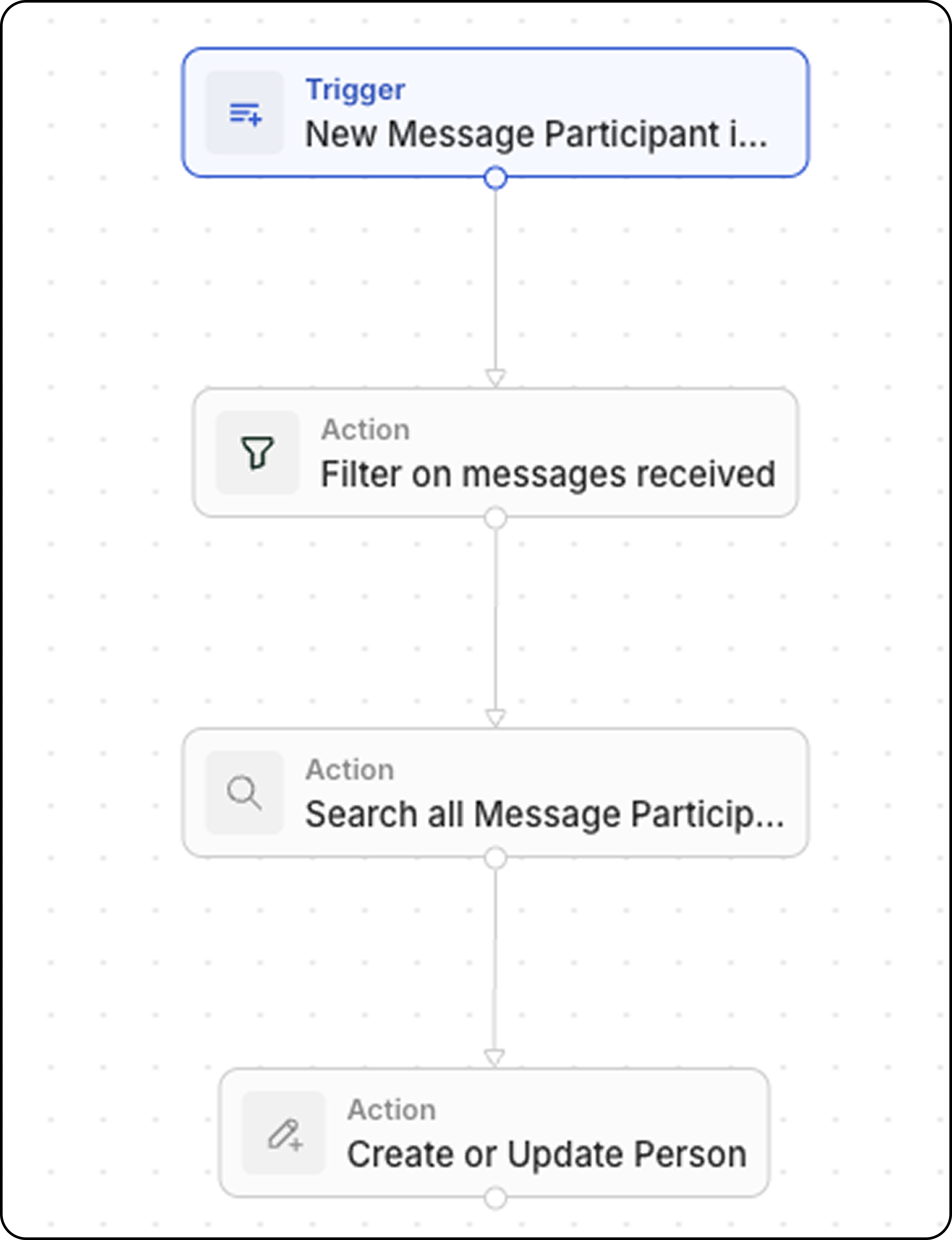
Vue d’ensemble
Ce workflow se déclenche chaque fois qu’un nouvel e-mail est reçu et met à jour un champ personnalisé sur l’enregistrement Person avec le nombre total d’e-mails provenant de cet expéditeur.Prérequis
Avant de configurer ce workflow, créez un champ personnalisé sur l’objet People :- Allez dans Paramètres → Modèle de données → People
- Ajoutez un nouveau champ Nombre
- Nommez-le par exemple “Nombre d’e-mails reçus de cette personne”
Configuration pas à pas
Étape 1 : Configurer le déclencheur
- Allez dans Workflows et créez un nouveau workflow
- Sélectionnez Record is Created comme déclencheur
- Choisissez Message Participants (disponible sous Advanced objects)
Un Message Participant est une combinaison d’un ID de message et d’un ID de personne, créant un enregistrement unique par message. Ceci est plus facile à suivre que les Messages directement, car nous pouvons accéder au champ
handle, qui contient l’adresse e-mail de l’expéditeur (ou du destinataire).Étape 2 : Filtrer sur le rôle
- Ajoutez l’action Filtre
- Définissez la condition : Role est égal à FROM
Étape 3 : Rechercher tous les Message Participants avec le même handle
- Ajoutez une action Search Records
- Sélectionnez Message Participants comme objet
- Ajoutez des filtres : Handle est égal au handle du déclencheur (l’adresse e-mail de l’expéditeur) et Role est égal à FROM
- Augmentez Limit de 1 à 200 (le maximum)
L’action Search Records est limitée à retourner 200 enregistrements maximum. Cependant, comme vous utilisez uniquement la valeur
totalCount (et non les enregistrements individuels), cette étape renverra le nombre total d’e-mails envoyés par cette personne.Étape 4 : Mettre à jour l’enregistrement Person avec une action Create or Update Record
- Ajoutez une action Créer ou mettre à jour un enregistrement
- Sélectionnez Personnes comme objet
- Recherchez la personne en faisant correspondre son e-mail au
handledu participant au message - Définissez votre champ personnalisé “Nombre d’e-mails reçus” sur
{{searchRecords.totalCount}}
totalCount de l’action Rechercher des enregistrements représente le nombre total d’e-mails reçus de cette personne.