跳转到主要内容

About Calendar View

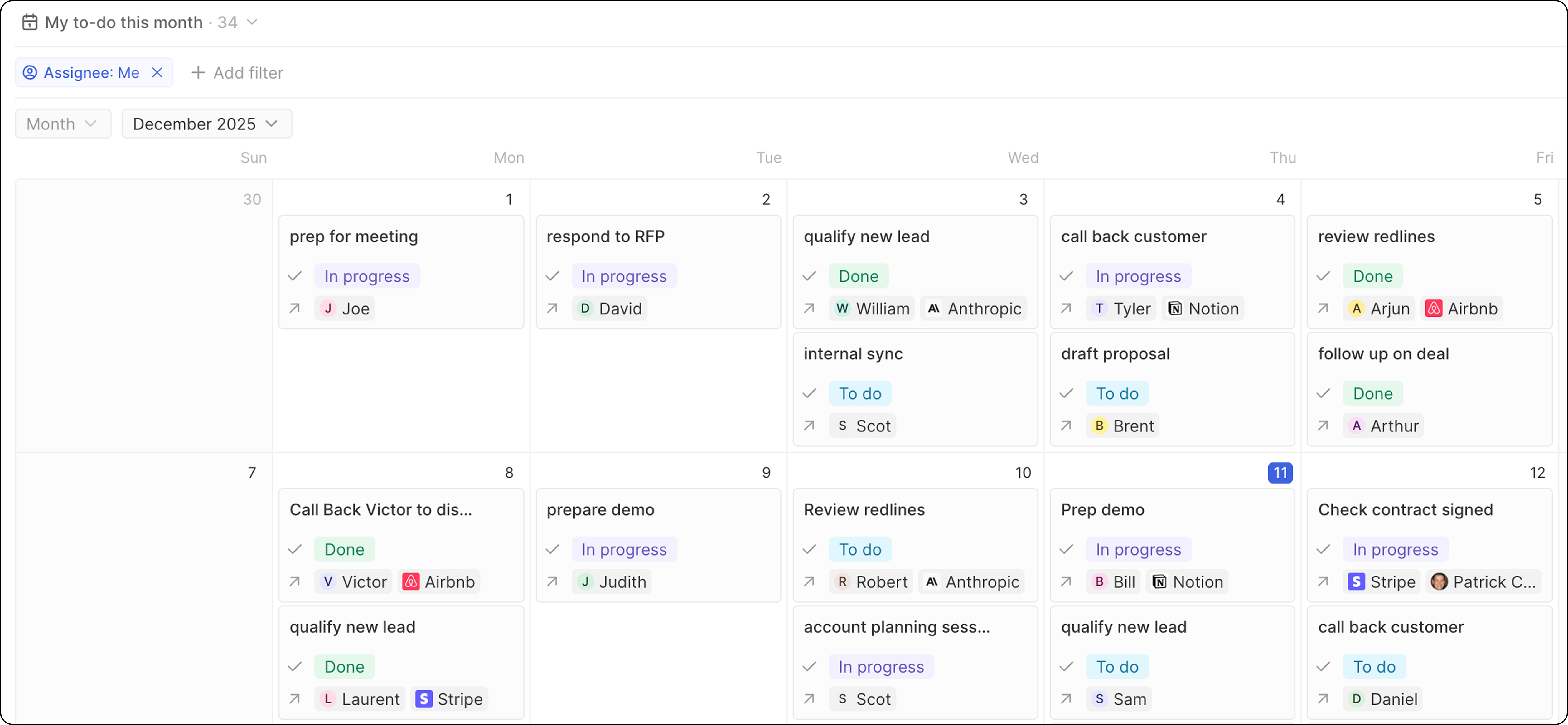
Calendar view displays your records on a calendar based on a date field. Each record appears as an event on the corresponding date.

Creating a Calendar View

  1. Navigate to an object with date fields
  2. Click the view dropdown → + Add view
  3. Name your view and click Create
  4. Open the Options on the right
  5. Select Calendar as the layout
  6. Choose the date field to use for positioning records
  7. Click Update view

Configuring the Calendar

Choose the Date Field

Under Options, select which date field determines where records appear on the calendar.

Display Fields

Configure which fields show on each calendar event:
  1. Click Options → Fields
  2. Toggle fields on/off
  3. Drag to reorder

Use Cases

  • Meetings and calls: View upcoming appointments
  • Deadlines: Track due dates and close dates
  • Events: Plan and visualize scheduled activities
  • Follow-ups: See when tasks are due