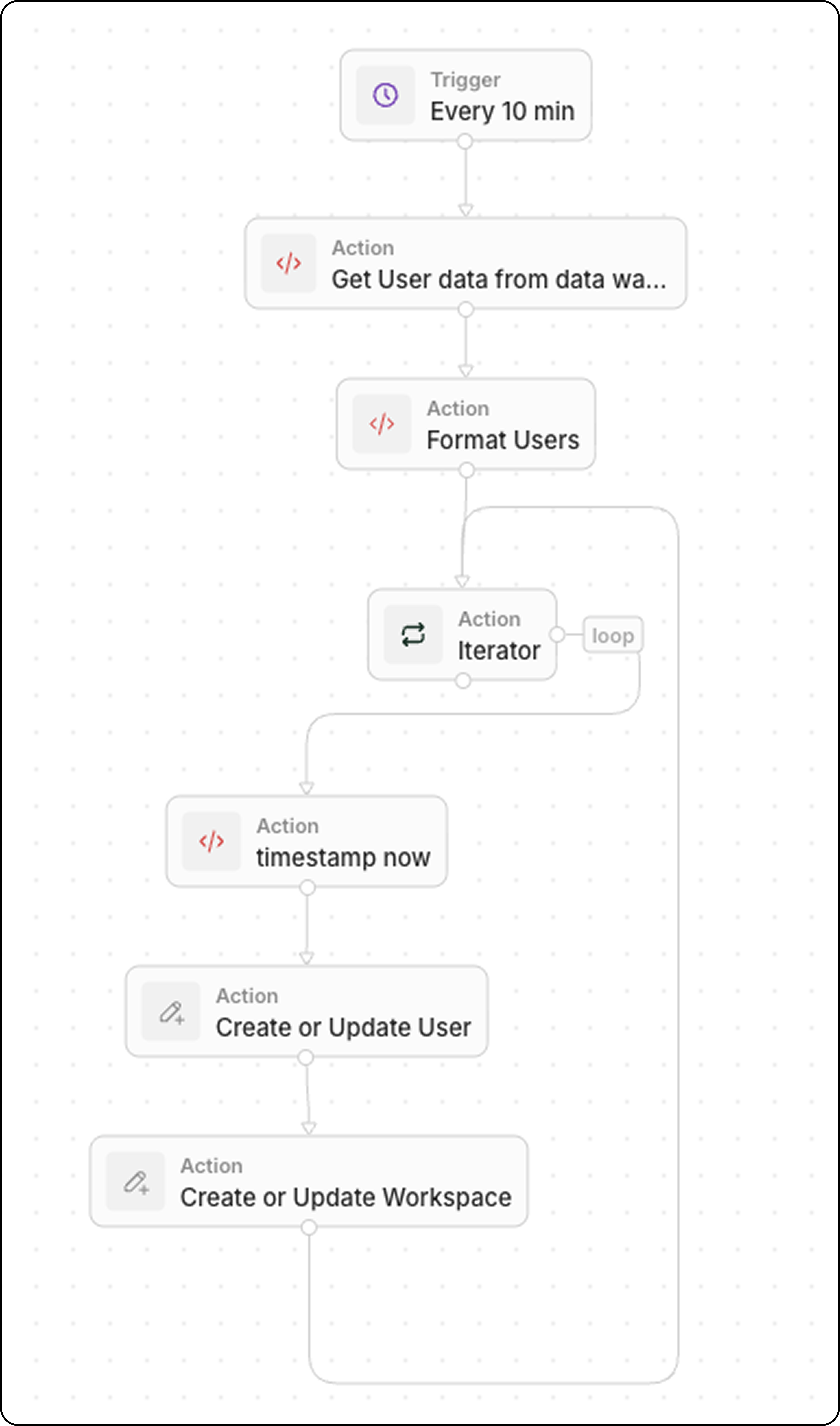
Use this pattern to keep Twenty in sync with product data from your data warehouse (e.g., Snowflake, BigQuery, PostgreSQL).
Workflow Structure
- Trigger: On a Schedule
- Code: Query your data warehouse
- Code (optional): Format data as array
- Iterator: Loop through each product
- Upsert Record: Create or update in Twenty
Step 1: Schedule the Trigger
Set the workflow to run at a frequency matching your data freshness needs:
- Every 5 minutes for near real-time sync
- Every hour for less critical data
- Daily for batch updates
Step 2: Query Your Data Warehouse
Add a Code action to fetch recent data:
export const main = async () => {
const intervalMinutes = 10; // Match your schedule frequency
const cutoffTime = new Date(Date.now() - intervalMinutes * 60 * 1000).toISOString();
// Replace with your actual data warehouse connection
const response = await fetch("https://your-warehouse-api.com/query", {
method: "POST",
headers: {
"Authorization": "Bearer YOUR_API_KEY",
"Content-Type": "application/json"
},
body: JSON.stringify({
query: `
SELECT id, name, sku, price, stock_quantity, updated_at
FROM products
WHERE updated_at >= '${cutoffTime}'
`
})
});
const data = await response.json();
return { products: data.results };
};
Filter by updated_at >= last X minutes to retrieve only recently changed records. This keeps the sync efficient.
If your warehouse returns data in a format that needs transformation, add another Code action. Common transformations include type conversions, field renaming, and data cleanup.
Example: User Data with Boolean and Status Fields
export const main = async (params: {
users: any;
}): Promise<object> => {
const { users } = params;
const usersFormatted = typeof users === "string" ? JSON.parse(users) : users;
// Convert string "true"/"false" to actual booleans
const toBool = (v: any) => v === true || v === "true";
return {
users: usersFormatted.map((user) => ({
...user,
activityStatus: String(user.activityStatus).toUpperCase(),
isActiveLast30d: toBool(user.isActiveLast30d),
isActiveLast7d: toBool(user.isActiveLast7d),
isActiveLast24h: toBool(user.isActiveLast24h),
isTwenty: toBool(user.isTwenty),
})),
};
};
Example: Product Data with Type Conversions
export const main = async (params: { products: any }) => {
const products = typeof params.products === "string"
? JSON.parse(params.products)
: params.products;
return {
products: products.map(product => ({
externalId: product.id,
name: product.name,
sku: product.sku,
price: parseFloat(product.price), // String → Number
stockQuantity: parseInt(product.stock_quantity),
isActive: product.status === "active" // String → Boolean
}))
};
};
export const main = async (params: { deals: any }) => {
const deals = typeof params.deals === "string"
? JSON.parse(params.deals)
: params.deals;
return {
deals: deals.map(deal => ({
...deal,
// Convert Unix timestamp to ISO date
closedAt: deal.closed_timestamp
? new Date(deal.closed_timestamp * 1000).toISOString()
: null,
// Ensure amount is a number (remove currency symbols)
amount: parseFloat(String(deal.amount).replace(/[^0-9.-]/g, "")),
// Normalize stage names
stage: deal.stage?.toLowerCase().replace(/_/g, " ")
}))
};
};
| Source Format | Target Format | كود |
|---|
"true" / "false" | true / false | v === true || v === "true" |
"123.45" | 123.45 | parseFloat(value) |
"active" | "ACTIVE" | value.toUpperCase() |
1704067200 (Unix) | ISO date | new Date(v * 1000).toISOString() |
"$1,234.56" | 1234.56 | parseFloat(v.replace(/[^0-9.-]/g, "")) |
null / undefined | "" | value || "" |
Step 4: Iterate Through Products
Add an Iterator action:
This loops through each product in the array.
Step 5: Upsert Each Record
Inside the iterator, add an Upsert Record action:
| Setting | القيمة |
|---|
| Object | Your custom Product object |
| Match by | External ID or SKU (unique identifier) |
| Name | {{iterator.item.name}} |
| SKU | {{iterator.item.sku}} |
| Price | {{iterator.item.price}} |
Use Upsert (update or create) instead of building separate branches for create vs. update. It’s faster to build and easier to debug.
Example Use Cases
| المصدر | بيانات |
|---|
| ERP system | Product catalog, pricing, inventory |
| E-commerce platform | Orders, customers, product updates |
| Data warehouse | Aggregated metrics, enriched data |
| Inventory system | Stock levels, reorder alerts |