
حول المحفزات
تبدأ سير العمل دائمًا بمحفز واحد يحدد متى ينبغي تشغيل الأتمتة.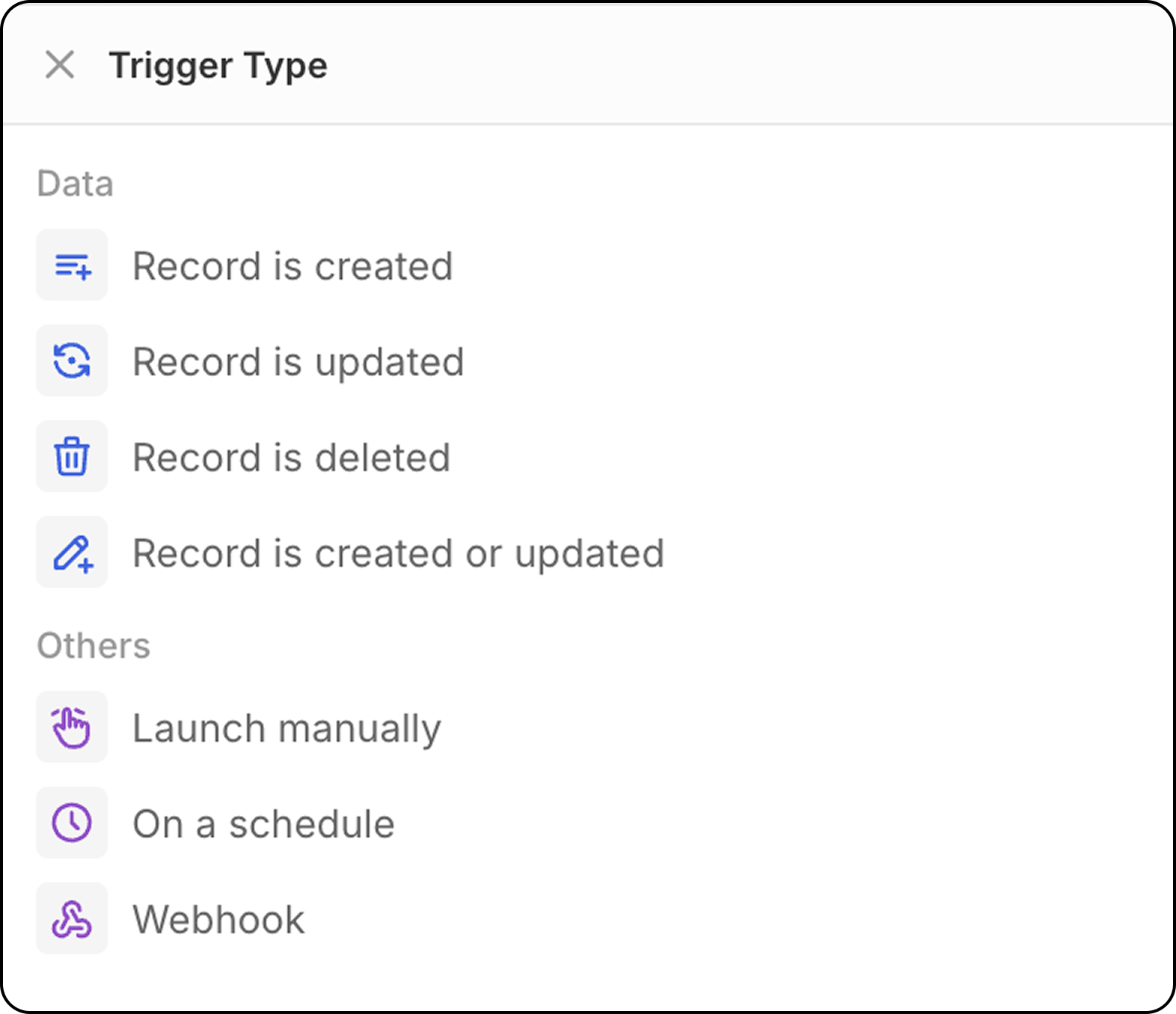
إنشاء سجل
يبدأ سير العمل عندما يتم إنشاء سجل جديد في كائن محدد (أشخاص أو شركات أو فرص أو أي كائن مخصص). التكوين: حدد نوع الكائن لمراقبة السجلات الجديدة.- هذا المشغل رائع للسجلات التي تم إنشاؤها بواسطة CSV، علبة البريد ومزامنة التقويم، أو API.
- لا يُنصح به للسجلات التي تُنشأ يدويًا: مع هذا المحفز، تبدأ عمليات سير العمل فور إنشاء السجل. نظرًا لأن واجهة المستخدم العشرين توفر الحفظ التلقائي على متن الطائرة (لا يوجد وضع تحرير ثم التحقق لحفظ السجلات)، سيتم تشغيل سير العمل قبل أن يقوم المستخدم بإدخال جميع الحقول.
لتشغيل سير العمل هذا على السجلات التي تم إنشاؤها يدويًا، يُوصى باستخدام المحفز
Record is created or updatedبدلًا من ذلك.
تحديث السجل
يبدأ سير العمل عندما يتم إجراء تغييرات على سجل موجود. التكوين:- اختر نوع الكائن
- اختر الحقول التي تريد مراقبتها للتغييرات بشكل اختياري
تحديث أو إنشاء سجل
يبدأ سير العمل عندما يتم إنشاء أو تحديث سجل في كائن محدد. أهمية الموضوع: هذا المحفز مهم بشكل خاص لأن السجلات التي تنشأ بطرق مختلفة تتصرف بشكل مختلف:- استيراد API/CSV: يتم إنشاء السجلات مع ملء جميع الحقول فورًا
- الإنشاء اليدوي: يتم إنشاء السجلات أولاً، ثم يتم إضافة الحقول في التحديثات اللاحقة
- اختر نوع الكائن لمراقبته
- اختر الحقول التي تريد مراقبتها للتغييرات بشكل اختياري
- سيتم تشغيل سير العمل في كل من الإنشاء الأولي وأي تحديثات لاحقة
حذف السجل
يبدأ سير العمل عندما يتم إزالة سجل من كائن. التكوين: حدد نوع الكائن لمراقبة عمليات الحذف.المحفز اليدوي
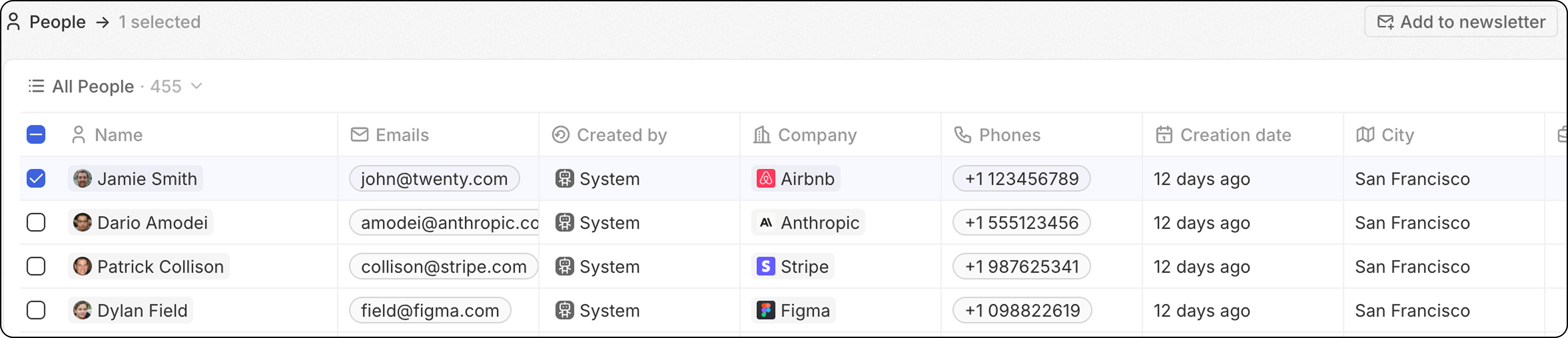
يبدأ سير العمل عندما يتم تشغيله بواسطة إجراء المستخدم. يمكن الوصول إلى هذا المحفز من خلال قائمةCmd+K أو عبر زر مخصص سيُعرض في شريط التنقل العلوي بعد تحديد سجل/سجلات.
- العالمي: لا يتطلب أي سجل لتشغيل سير العمل هذا. يتم تشغيل سير العمل من قائمة الأوامر ‘Cmd+K’ في أي مكان (من أي كائن)، ولا يستخدم السجل (السجلات) كمدخل.
-
واحد: سير العمل سيتم تشغيله من البداية إلى النهاية أكبر عدد من المرات التي يتم فيها اختيار السجلات.
حد مرن: 100 عملية تشغيل/دقيقة. بعد ذلك، تظل عمليات سير العمل في حالة “Not Started” ويتم معالجتها تدريجيًا—إما بواسطة مهمة خلفية أو عندما يدخل سير عمل آخر قائمة الانتظار. هذا يعني أنه يمكنك تحديد أكثر من 100 سجل باستخدام محفز واحد؛ ستكون عملية التنفيذ أبطأ فقط.
- سباب: سير العمل سيتم تشغيله مرة واحدة، مع توفير قائمة السجلات بأكملها كمدخل. هذا يعني أن سير العمل يحتاج إلى احتواء إجراء المُكرِّر.
هذا أكثر تقدمًا، وهو الأفضل لمن يرغبون في تحسين عدد مرات تشغيل سير العمل.
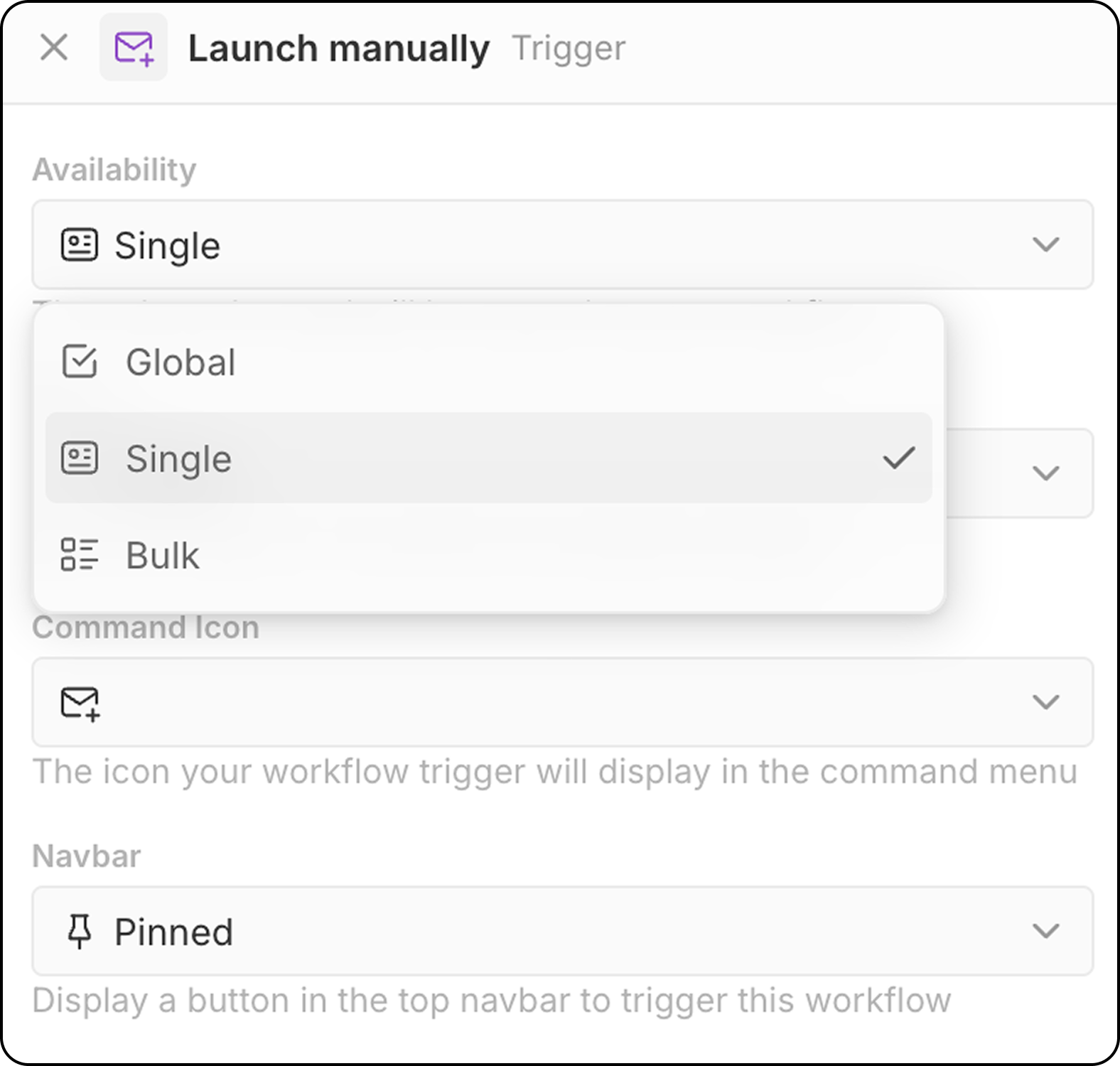
- حدد الكائن المستهدف (للتوفر الفردي والشامل)
- اختر رمز الأمر لتفعيل سير العمل
- قم بتكوين موضع شريط التنقل (مثبت أو غير مثبت)
- قائمة
Cmd+Kللعثور على وتشغيل عمليات سير العمل اليدوية - زر مخصص في شريط التنقل العلوي (إذا تم تكوينه)
محفز قائم على الوقت: وفق جدول زمني
يبدأ سير العمل على أساس دوري تحدده. التكوين:- اختر وحدة الوقت (الدقائق، الساعات، الأيام)
- أدخل قيمة أو استخدم تعبيرات كرون مخصصة للجدولة المتقدمة
المنطقة الزمنية: تعمل عمليات سير العمل المجدولة وفق UTC. عند تعيين الساعات للجداول اليومية، حوّل وقتك المحلي إلى UTC.
محفز خارجي: ويب هوك
يبدأ سير العمل عندما يتم استقبال طلب GET أو POST من خدمة خارجية.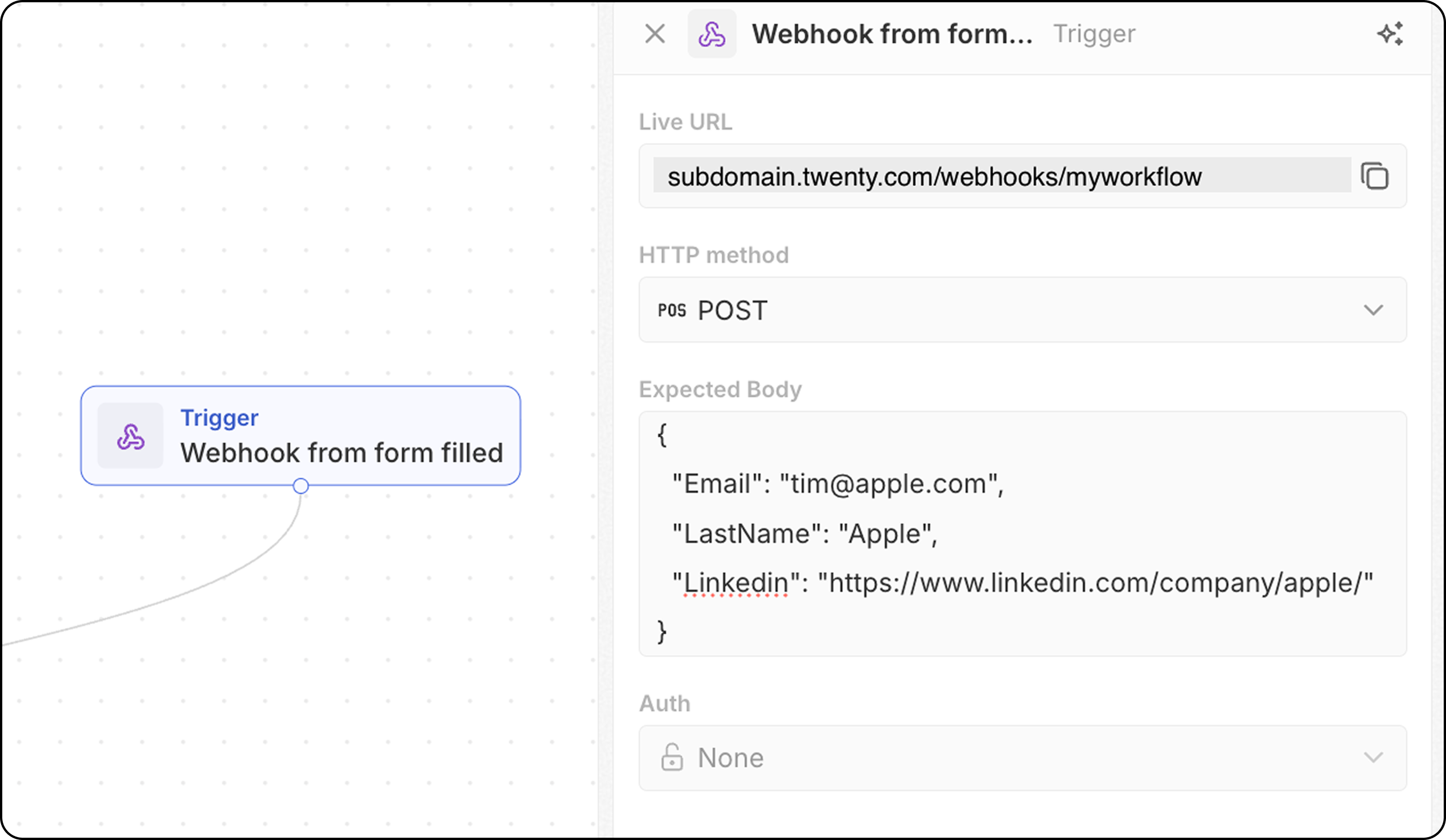
- يوفر سير العمل عنوان URL فريدًا لويب هوك—انسخه وأضفه إلى نظامك الخارجي كنقطة نهاية للاستدعاء.
- بالنسبة لطلبات POST، حدِّد البنية المتوقعة لمحتوى الطلب حتى يعرف Twenty ما البيانات المتوقع تلقيها. أضف هنا الحقول التي ستستلمها والتي ستكون مطلوبة أدناه في سير العمل لديك.
- قم بتكوين المصادقة (قريبًا).