
Standardní objekty
Standardní objekty jsou předdefinované entity ve vašem pracovním prostoru, které vám pomáhají začít. Jsou součástí sdíleného datového modelu přístupného všem uživatelům Twenty. Můžete je používat tak, jak jsou, přizpůsobit je nebo je deaktivovat.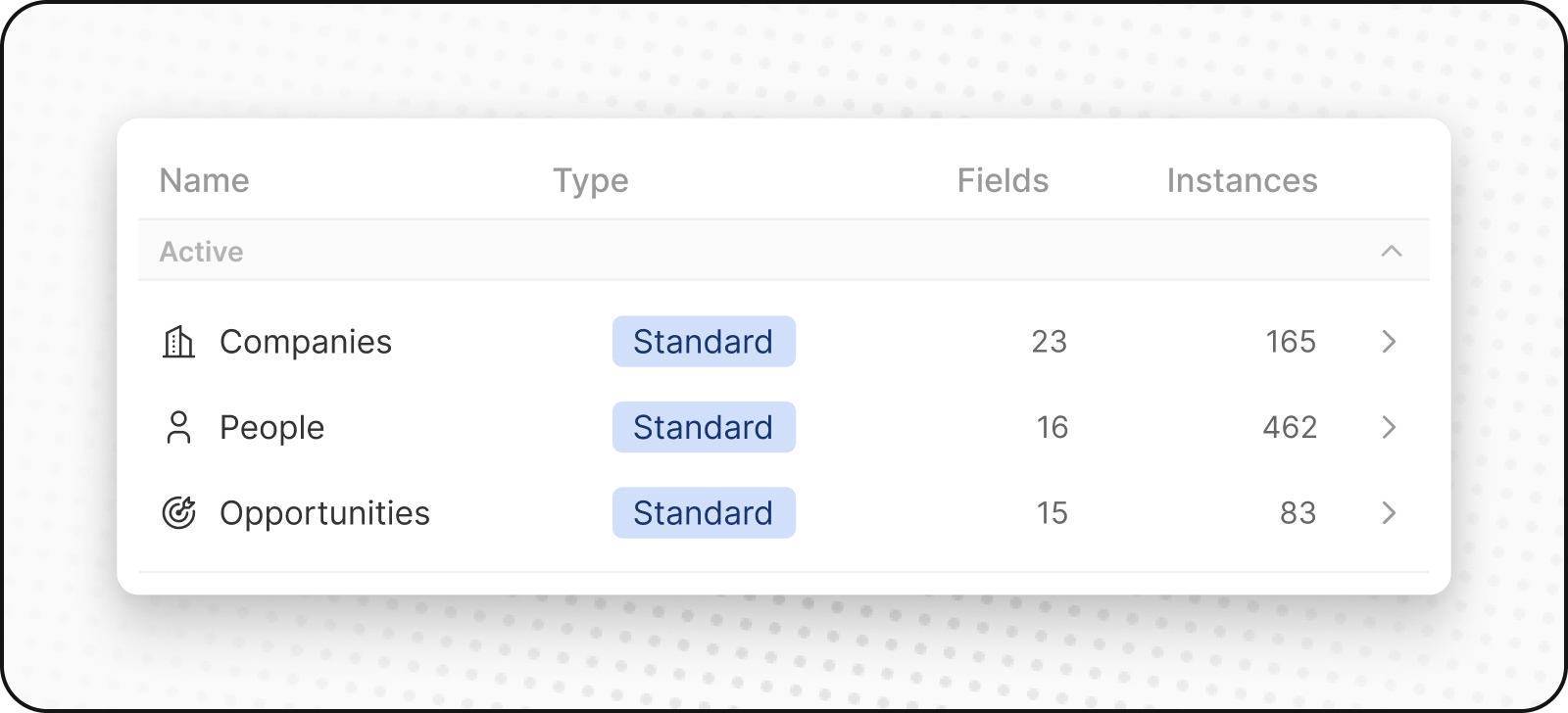
Osoby
ObjektPeople ukládá vaše kontakty. Obsahuje kontaktní údaje a historii interakcí, takže vidíte všechny zákaznické interakce na jednom místě.
Společnosti
ObjektCompanies ukládá vaše firemní účty. Obsahuje podrobnosti jako odvětví, velikost a lokalitu. Společnosti jsou propojené s objekty People a Opportunities.
Příležitosti
ObjektOpportunities ukládá údaje související s nabídkami. Sleduje průběh potenciálních prodejů, od prospectingu po uzavření, zaznamenává fáze, velikosti nabídek, související účty a očekávané datum uzavření. Můžete si prohlédnout svůj prodejní kanál v rozložení kanban.
Poznámky
ObjektNotes ukládá volně psané poznámky, které lze připojit k People, Companies, Opportunities a dalším záznamům. Poznámky použijte k zachycení souhrnů schůzek, důležitých detailů nebo jakýchkoli kontextových informací.
Úkoly
ObjektTasks ukládá úkoly a akční položky. Úkoly lze propojit s People, Companies, Opportunities a dalšími záznamy. Sledujte termíny, přiřazené osoby a stav dokončení, abyste měli své následné kroky pod kontrolou.
Vlastní objekty
Vlastní objekty vám umožňují ukládat informace, které jsou jedinečné pro vaši organizaci a které standardní objekty nezvládnou. Například pokud jste SpaceX, můžete chtít vytvořit vlastní objekt pro rakety a starty.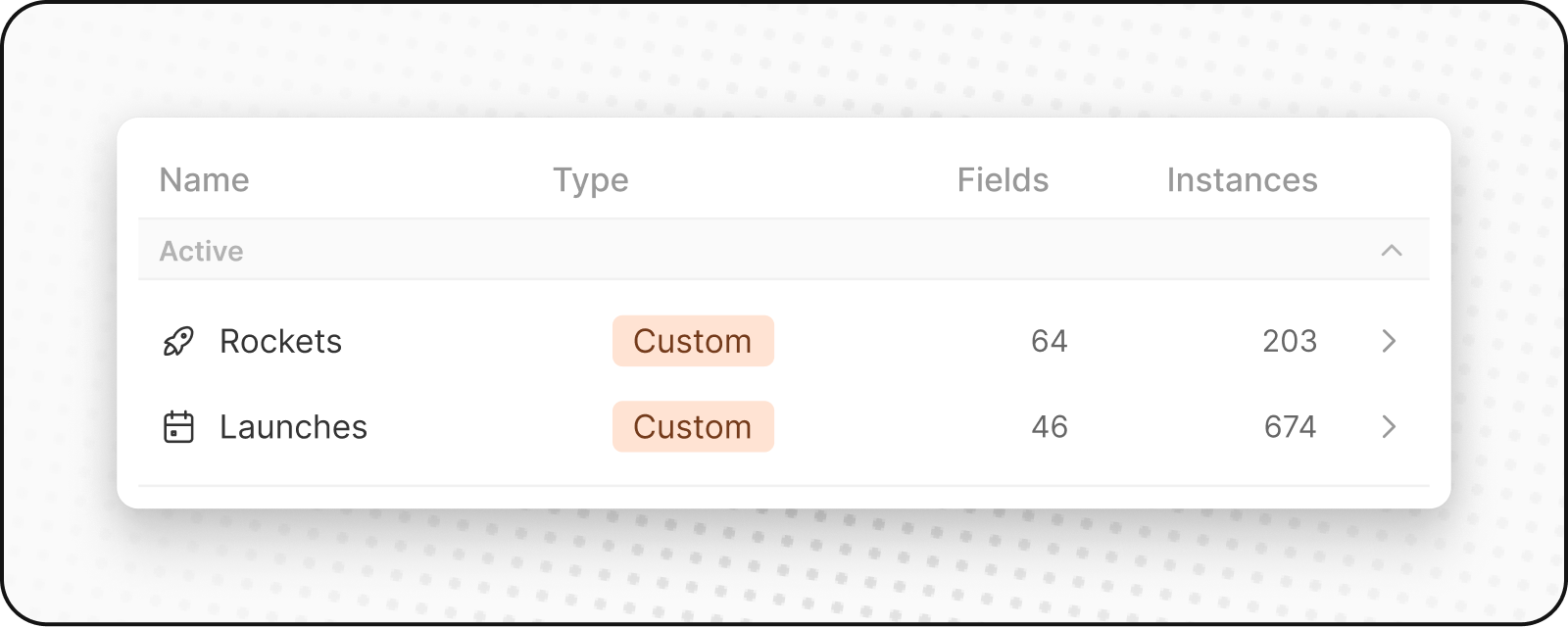
Vytváření nového vlastního objektu
Chcete-li vytvořit nový vlastní objekt:- Přejděte do Nastavení na postranním panelu vlevo.
- Pod pracovním prostorem přejděte do datového modelu. Zde budete moci vidět přehled všech vašich stávajících standardních a vlastních objektů (aktivních i deaktivovaných).
- Klikněte na
+ Nový objektv horní části. Zadejte název (v jednotném i množném čísle), vyberte ikonu a přidejte popis pro svůj vlastní objekt a klikněte na Uložit (vpravo nahoře). Jako příklad vlastního objektu použijte Listing: jednotné číslo by bylo “listing” a množné by bylo “listings” spolu s popisem jako “Inzeráty, které hostitelé vytvořili, aby prezentovali svou nemovitost.” - Váš vlastní objekt je nyní vytvořen a zobrazí se v postranním panelu. Můžete do něj hned začít přidávat záznamy.
Správa objektů
Deaktivace objektů
Pokud nepotřebujete standardní nebo vlastní objekt:- Přejděte do Nastavení → Datový model
- Najděte objekt, který chcete deaktivovat, a klikněte na něj
- Přejít na záložku Nastavení objektu
- Klikněte na tlačítko “Deaktivovat”
- Objekt bude skrytý ve vašem pracovním prostoru, ale data budou zachována
Reaktivace objektů
Chcete-li obnovit deaktivovaný objekt:- Přejděte do Nastavení → Datový model
- Povolit filtr “Deaktivováno”
- Hledat deaktivované objekty (mají
deaktivovanévedle jejich jména) - Kliknutím na
⋮a poté naActivatejej znovu aktivujete - Objekt a všechna jeho data budou obnovena
Osvědčené postupy
Kdy vytvářet vlastní objekty
- Jedinečné obchodní entity: Věci specifické pro vaše odvětví nebo proces
- Složité vztahy: Když potřebujete sledovat propojení mezi více entitami
- Škálovatelná data: Když můžete mít mnoho instancí něčeho
Kdy raději použít pole
- Jednoduché atributy: Vlastnosti, které popisují existující objekty
- Kategorie nebo štítky: Způsoby, jak klasifikovat existující záznamy
- Jednotlivé hodnoty: Informace, které nepotřebují vlastní životní cyklus
Pojmenování objektů
- Používejte jasné, popisné názvy: Ať je zřejmé, co objekt představuje
- Dodržujte konvence: Pro název objektu používejte jednotné číslo, pro kolekci číslo množné
- Myslete na svůj tým: Zvolte názvy, kterým všichni porozumí