
Typy relací
Jeden k mnoha
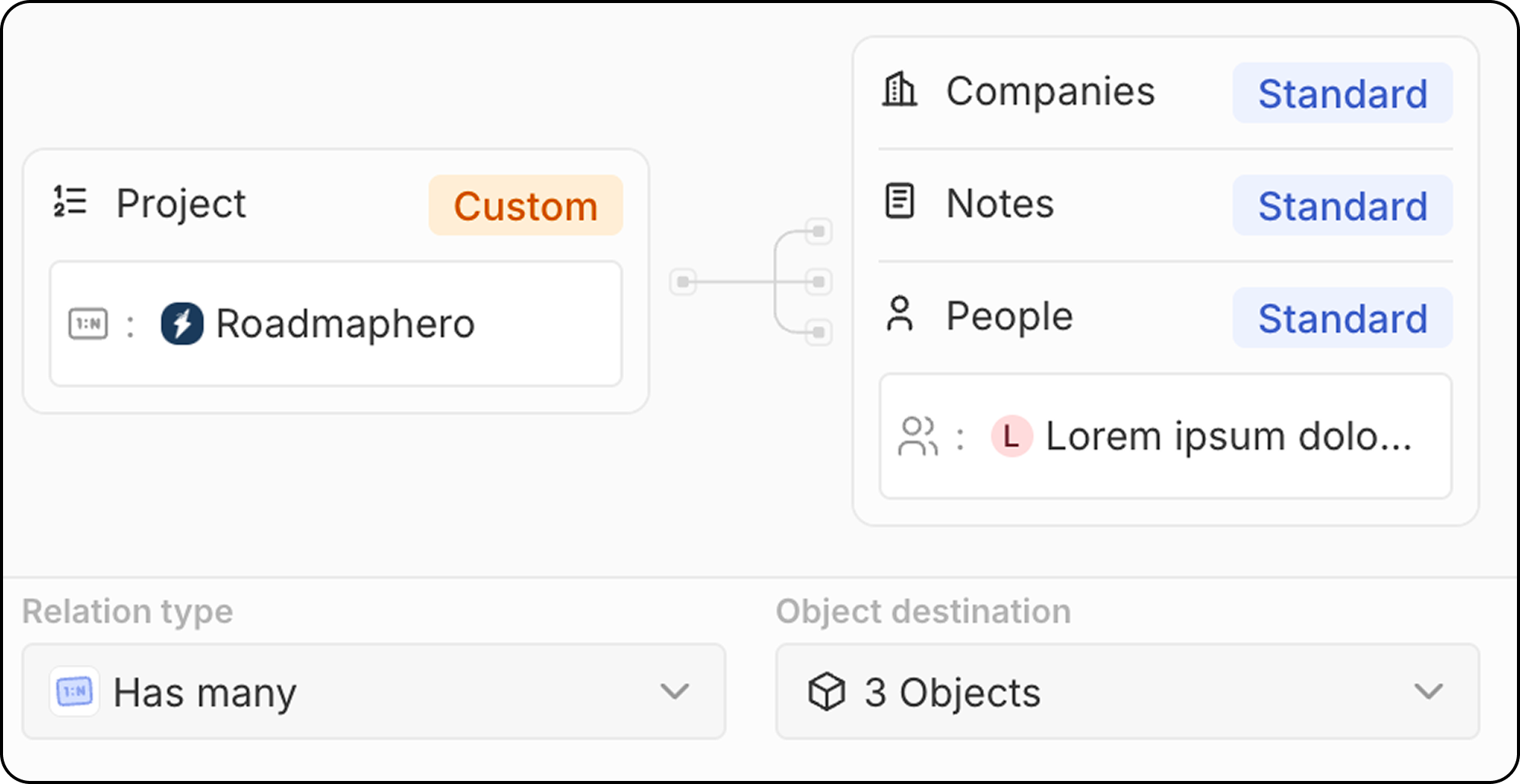
Jeden záznam v Objektu A může být propojen s mnoha záznamy v Objektu B. Příklad: Jedna společnost může mít mnoho lidí (zaměstnanců).Mnoho k jednomu
Mnoho záznamů v Objektu A může být propojeno s jedním záznamem v Objektu B. Příklad: Mnoho lidí může patřit k jedné společnosti.Relace k více typům objektů
Některé objekty mohou na jedné straně relace odkazovat na více typů objektů. Příklad: Poznámku lze současně připojit k jedné osobě, jedné společnosti a jedné příležitosti. Poznámka je na straně “mnoho” a propojuje se s více stranami “jeden”.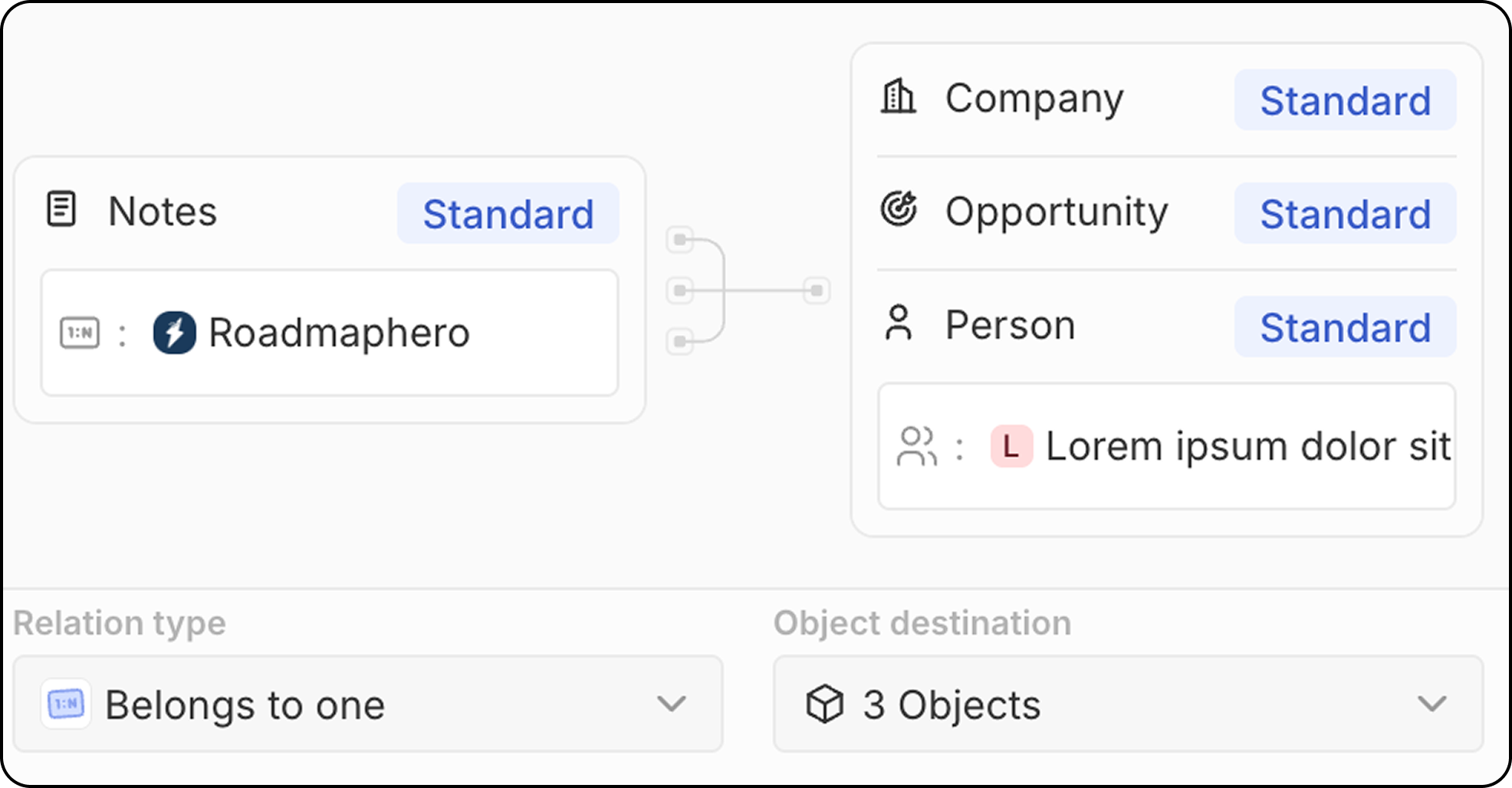
Mnoho k mnoha
Mnoho záznamů v Objektu A může být propojeno s mnoha záznamy v Objektu B. Příklad: Mnoho lidí může být propojeno s mnoha projekty a naopak. Vztahy typu mnoho-na-mnoho používají vzor zvaný spojovací objekt: zprostředkující objekt, který propojuje obě strany. S funkcí spojovacího vztahu zobrazuje Twenty přímo výsledné propojené záznamy a zprostředkující objekt v UI skrývá. Podívejte se na Jak vytvořit vztahy typu mnoho k mnoha pro úplný návod krok za krokem.Vytvoření relačního pole
- Přejděte do Nastavení → Datový model
- Vyberte objekt, do kterého chcete přidat relaci
- Klikněte na + Nové pole
- Vyberte Relation jako typ pole
- Vyberte cílový objekt nebo objekty, ke kterým chcete relaci vytvořit
- Nakonfigurujte nastavení relace:
- Název pole na zdrojovém objektu: Název relačního pole na objektu, který upravujete
- Název pole na cílovém objektu: Název relačního pole, které se zobrazí na cílovém objektu
- Typ vztahu (jeden k mnoha, mnoho k jednomu)
- Klikněte na Uložit
Standardní relace
Twenty obsahuje předpřipravené relace mezi standardními objekty:Osvědčené postupy
Plánování relací
- Zmapujte svůj datový model: Relace si naplánujte před jejich vytvořením
- Zvažte směr: Promyslete, který objekt “vlastní” relaci
- Vyhněte se cyklickým závislostem: Udržujte svůj datový model čistý
Pojmenovávání relací
- Používejte jasné názvy: Ať je zřejmé, co relace představuje
- Buďte konzistentní: Používejte podobné vzory pojmenování napříč relacemi
- Zvažte obě strany: Vhodně pojmenujte obě strany relace
Výkon
- Nepřehánějte to s relacemi: Příliš mnoho relací může zpomalit váš pracovní prostor
Omezení
- Mazání relací odstraní propojení, nikoli související záznamy
- Cyklickým relacím je třeba se kvůli integritě dat vyhnout