
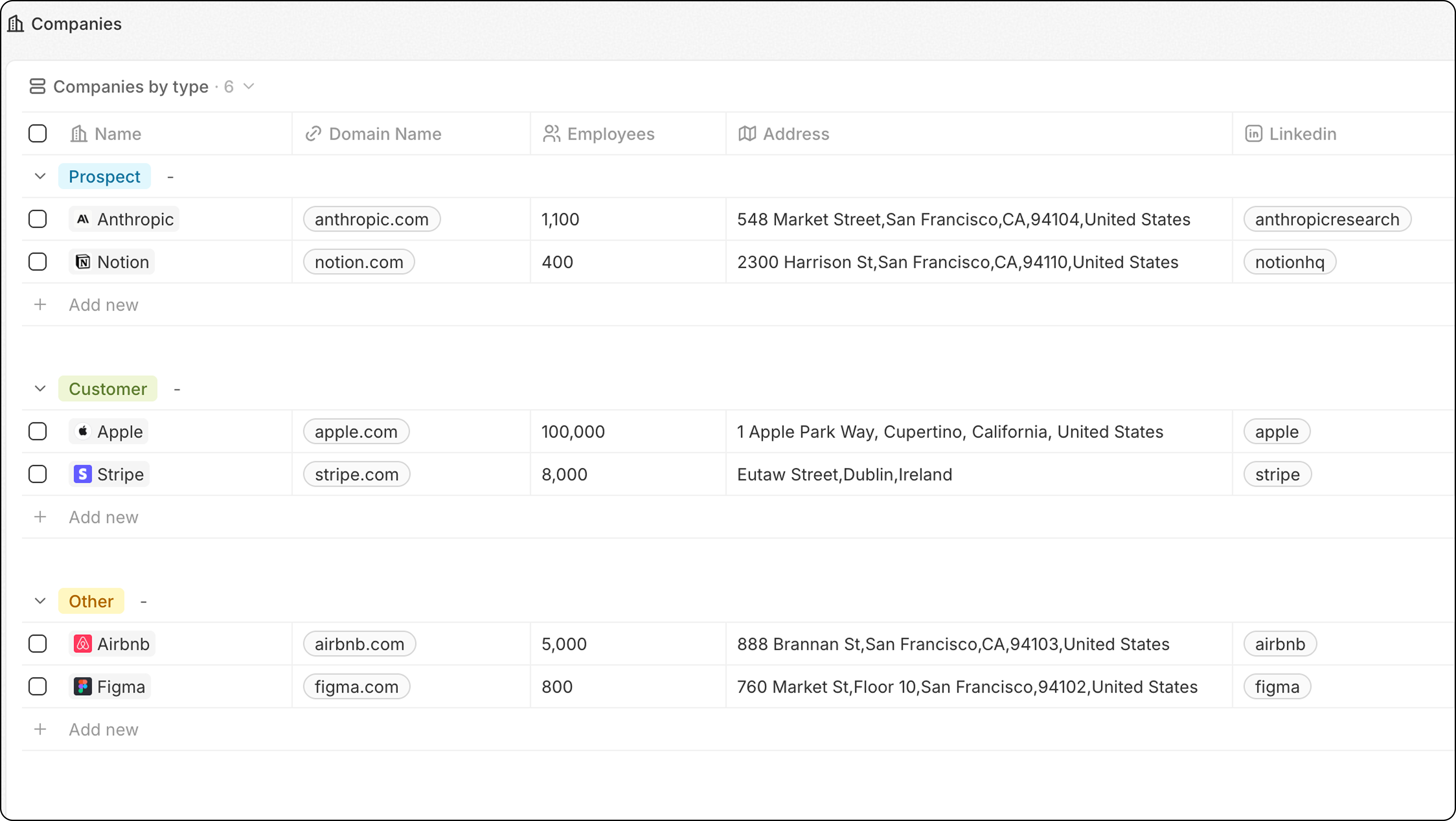
Etapas
- Navegue até o objeto (Pessoas, Empresas, etc.)
- Clique no menu suspenso de visualizações → + Adicionar visualização
- Nomeie sua visualização (por exemplo, “Empresas por tipo”)
- Clique em Criar
- Clique em Opções → Agrupar
- Escolha um campo de seleção para agrupar
- Clique em Salvar
Configurar ordem dos grupos
Em Opções → Agrupar → Ordenação, escolha como os grupos são ordenados:
Clique no ícone de olho ao lado de um grupo para ocultá-lo da visualização.
Para melhor desempenho, limite a 10-15 grupos visíveis. Se precisar de mais, considere usar um Painel.
Exemplo: Empresas por indústria
- Vá para Empresas
- Crie uma nova visualização chamada “Por indústria”
- Clique em Opções → Agrupar
- Selecione o campo Indústria
- Salvar
Relacionados
- Visualizações de Tabela — todos os recursos da visualização de tabela
- Filtros e ordenação — combine o agrupamento com filtros