
The rendering helper
Keep pure logic in its own file so it’s easy to unit-test. This flattens a record into{{dot.path}} tokens and substitutes them.
The handler
The handler uses the generatedCoreApiClient
to read and write CRM data. It loads the template, loads the target record, fills
the body, and creates a document.
loadRecordValues runs a different query for a Person vs. a Company and flattens
the result — see
load-record-values.ts.
Expose it as a tool and a workflow action
A singledefineLogicFunction can carry several triggers. Here, toolTriggerSettings
makes it callable by AI agents, and workflowActionTriggerSettings turns it into a
step in the visual workflow builder. Both describe their input with a JSON schema.
templateId and recordId —
see generate-document-input.schema.ts.
Grant it access
Logic functions run as the app’s role. It needs to read templates and records and create documents, so allow that insrc/roles/default-role.ts:
UPLOAD_FILE lets the function upload the generated PDF in the next section.
See Roles for finer-grained permissions.
Attach a real PDF file
A rendered text field is useful, but users want a real document. Let’s generate a PDF and store it on the record as a downloadable file. First, give thedocument object a FILES field to hold the PDF. Apps upload
into their own files fields, so this field is what routes the upload:
generate-document-pdf.ts.
It parses the Markdown into tokens with marked.lexer, then lays them out with
pdf-lib: real headings, bold/italic runs, bullet and numbered lists,
blockquotes and rules — a polished, multi-page A4 rendering of the template
itself, rather than a wall of text.

The generated PDF: real typography and Markdown formatting, rendering the template body.
pdf-lib’s built-in fonts use WinAnsi encoding, so Western-European accents render
out of the box; the helper maps smart quotes and dashes and drops characters it
can’t encode. Rendering non-Latin scripts (Chinese, Arabic, Cyrillic) would mean
embedding a Unicode font.
uploadFile sends the
bytes straight to file storage and attaches them to your app-owned files field;
the returned id is what you save:
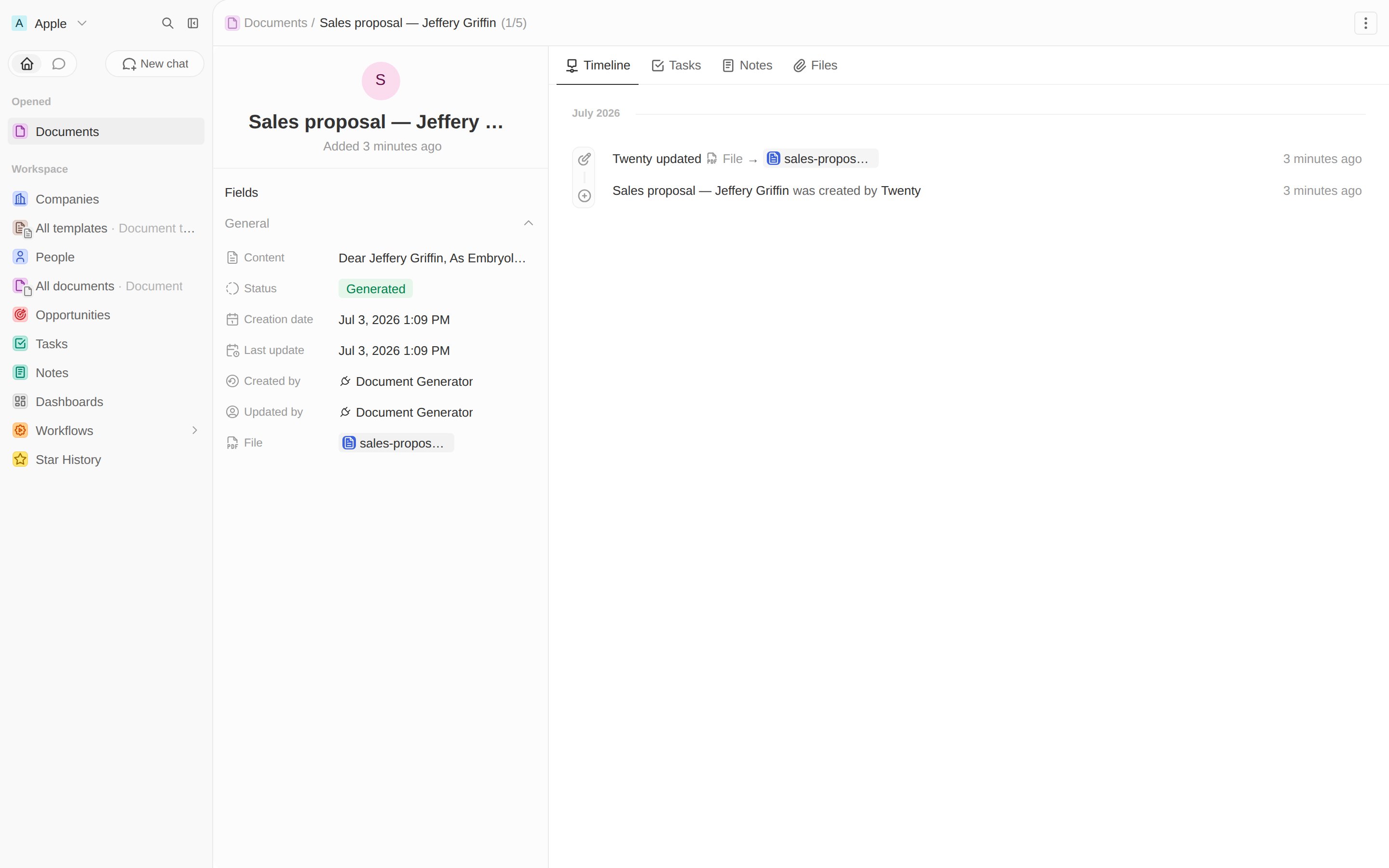
The generated PDF, stored on the document's File field.
uploadFile only targets app-owned files fields (so uploads always require an
app that owns the field, plus the UPLOAD_FILE role flag). That’s why the PDF
lands on the record’s own file field — the same pattern the
call-recorder app
uses for recordings.Next: HTTP routes →
Serve the function over HTTP and render documents as web pages.