
Despre vizualizările Kanban
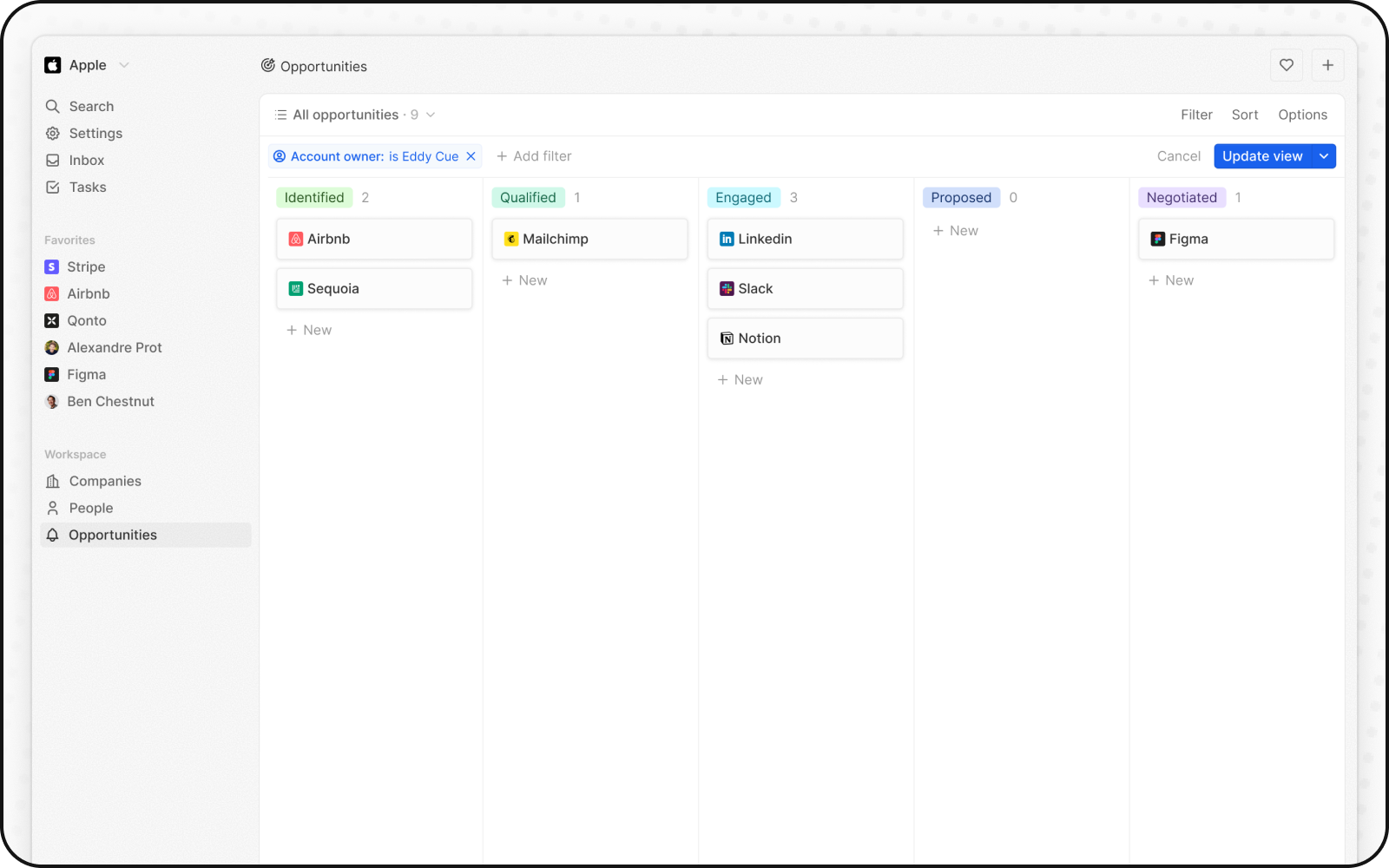
Vizualizările Kanban cartografiază vizual fluxurile de proces, unde fiecare coloană reprezintă o etapă distinctă și fiecare card reprezintă o înregistrare.Mută Carduri între Etape
Poți muta fiecare card între etape pe măsură ce trece prin fluxul tău de lucru, făcând clic pe card și ținând cont, apoi glisându-l până la etapa următoare.Adăugați și ștergeți etape
Puteți adapta fluxul de lucru pentru a se potrivi nevoilor dvs. folosind etape, fiecare reprezentând o valoare într-un câmp selectat:Adaugă Etape
Pentru a adăuga o etapă, accesați setările câmpului selectând navigând la Setări > Modelul de date, selectarea obiectului și apoi selectarea câmpului de care depinde panoul Kanban.Elimină Etape
Pentru a elimina o etapă, plutiți peste numele etapei sau icoana'unnamed@@0, faceţi clic pe Editare din setări din câmpul Selectare setări şi apoi clic pe Șterge de lângă etapa relevantă.
Afișare câmpuri
Poți configura panoul Kanban pentru a afișa unele câmpuri și a ascunde altele. Pentru a afișa sau ascunde un câmp, faceți clic pe Opțiuni din dreapta sus, apoi pe Câmpuri pentru a aduce lista de opțiuni și faceți clic pe pictograma de ochi de lângă câmp pentru a o afișa sau ascunde. Poți, de asemenea, să rearanjezi ordinea câmpurilor ținând apăsat numele câmpului și trăgându-l acolo unde îl dorești.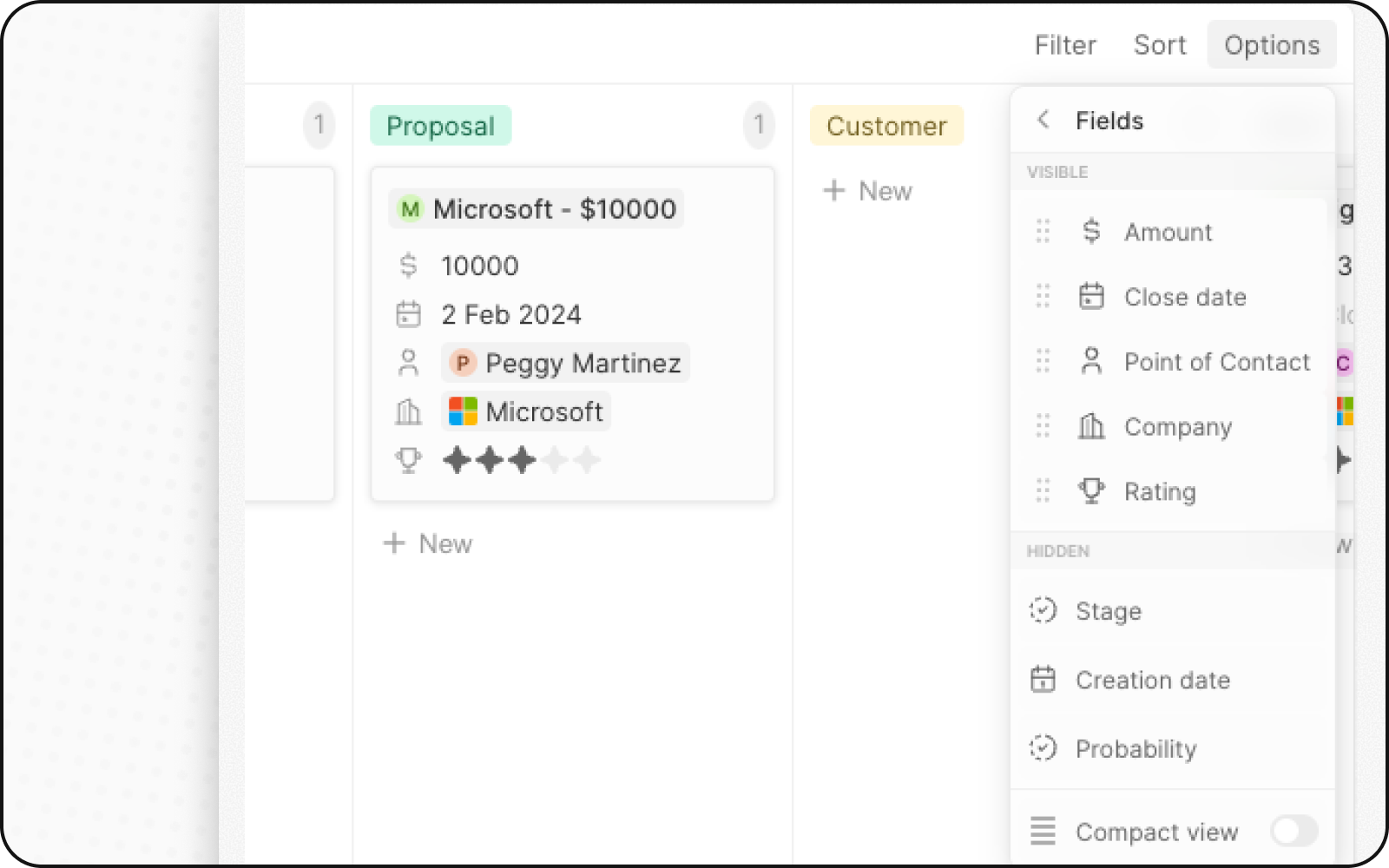
Vizualizare compactă
Puteți ascunde toate câmpurile și obține o imagine de ansamblu a tuturor înregistrărilor dintr-o privire. Pentru activare:- Faceți clic pe Opțiuni în dreapta sus
- Activați comutatorul pentru Vizualizare compactă
Agregări pe coloană
Fiecare coloană dintr-o vizualizare Kanban poate afișa valori agregate în partea de sus, ajutându-vă să înțelegeți datele dintr-o privire.Agregări disponibile
Configurarea agregărilor
- Faceți clic pe numărul afișat lângă valoarea etapei, în partea de sus a unei coloane
- Selectați tipul de agregare
- Alegeți câmpul pe care să îl agregați
Când să utilizați vizualizările Kanban
Vizualizările Kanban sunt ideale pentru:- Pipeline-uri de vânzări: Urmăriți tranzacțiile prin etape, de la lead până la închidere
- Managementul proiectelor: Monitorizați sarcinile prin stările fluxului de lucru
- Recrutare: Urmăriți candidații prin etapele de angajare
- Orice proces etapizat: Vizualizați orice flux de lucru cu etape definite
Cele mai bune practici
Organizați-vă etapele
- Limitați etapele: 5-7 etape sunt ideale pentru vizibilitate
- Denumire clară: Folosiți denumiri de etape descriptive
- Ordine logică: Aranjați etapele în ordinea procesului
Optimizați afișarea cardurilor
- Afișați câmpurile cheie: Afișați doar cele mai importante informații
- Utilizați vizualizarea compactă: Pentru prezentări generale la nivel înalt
- Coduri de culoare: Folosiți culorile etapelor pentru a identifica rapid starea
Mențineți calitatea datelor
- Actualizați regulat: Mențineți cardurile în mișcare prin etape
- Arhivați elementele finalizate: Mutați elementele închise în afara vizualizării active
- Revizuiți cardurile învechite: Reluați urmărirea cardurilor blocate în etape