
Tetikleyiciler Hakkında
İş akışları, otomasyonun ne zaman çalıştırılacağını tanımlayan tek bir tetikleyici ile başlar.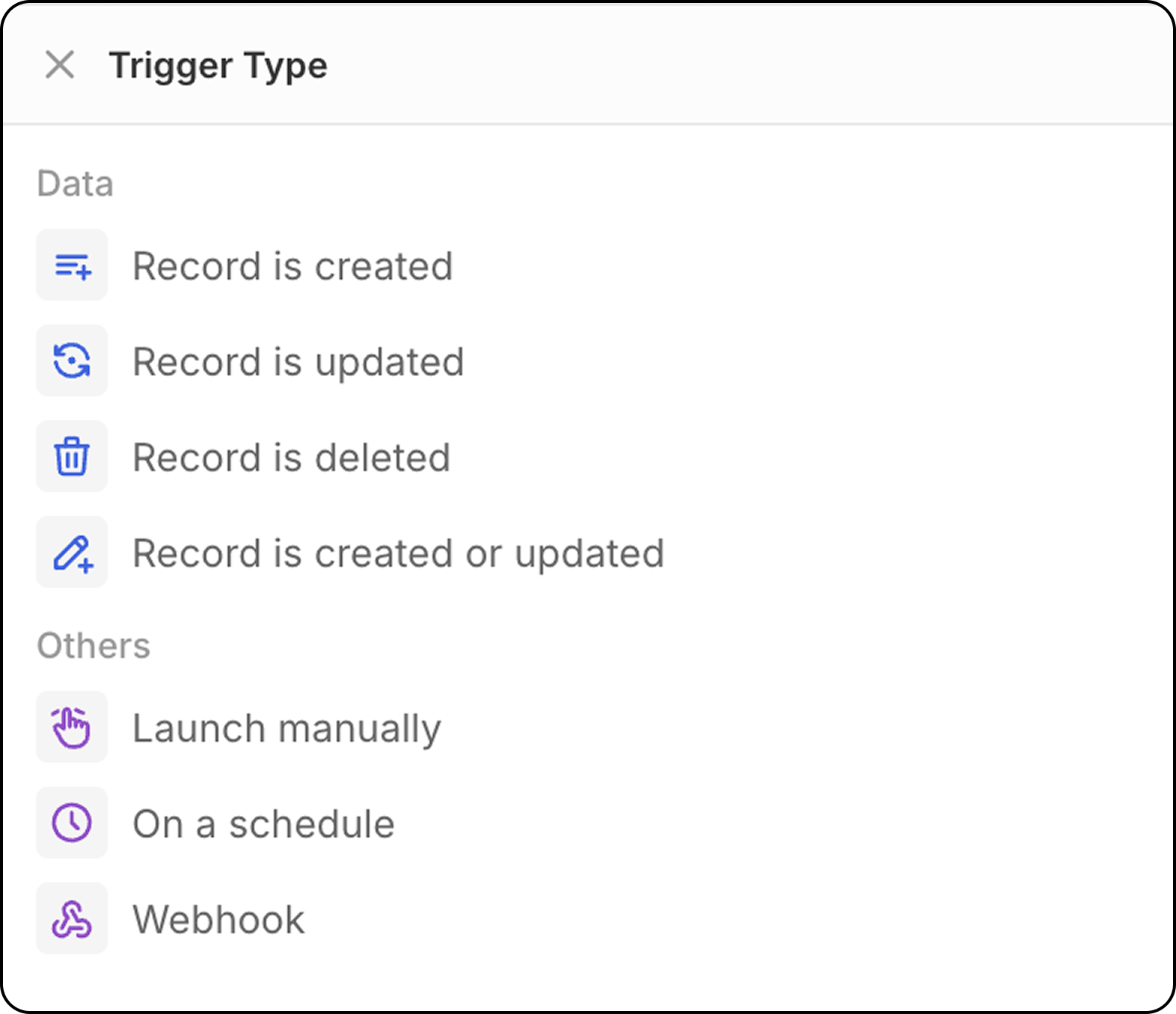
Kayıt Oluşturuldu
Seçilen bir nesneye (Kişiler, Şirketler, Fırsatlar veya herhangi bir özel nesne) yeni bir kayıt oluşturulduğunda iş akışını başlatır. Yapılandırma: Yeni kayıtları izlemek için nesne türünü seçin.- Bu tetikleyici, CSV, posta kutusu ve takvim eşzamanlaması veya API tarafından oluşturulan kayıtlar için harikadır.
- El ile oluşturulan kayıtlar için önerilmez: bu tetikleyici ile kayıt oluşturulur oluşturulmaz iş akışları başlar. Twenty UI anında otomatik kaydetme sunduğundan (kayıtları kaydetmek için bir düzenleme modu ve ardından doğrulama yoktur), kullanıcı tüm alanları girmeden önce iş akışı tetiklenecektir.
Bu iş akışını el ile oluşturulan kayıtlarda tetiklemek için bunun yerine
Record is created or updatedtetikleyicisini kullanmanız önerilir.
Kayıt Güncellendi
Mevcut bir kayıtta değişiklik yapıldığında iş akışını başlatır. Yapılandırma:- Nesne türünü seçin
- Hangi alanların değişiklikler için izleneceğini isteğe bağlı olarak belirtin
Kayıt Güncellendi veya Oluşturuldu
Bir kaydın seçili bir nesnede oluşturulması veya güncellenmesi durumunda iş akışını başlatır. Neden Bu Önemli: Bu tetikleyici özellikle faydalıdır çünkü farklı yöntemlerle oluşturulan kayıtlar farklı davranır:- API/CSV içe aktarmaları: Kayıtlar tüm alanlar doldurulmuş olarak hemen oluşturulur
- Manuel oluşturma: Önce kayıtlar oluşturulur, ardından alanlar sonraki güncellemelerde eklenir
- İzlenecek nesne türünü seçin
- Hangi alanların değişiklikler için izleneceğini isteğe bağlı olarak belirtin
- İş akışı, hem ilk oluşturma sırasında hem de sonraki güncellemelerde tetiklenecektir
Kayıt Silindi
Bir nesneden kayıt kaldırıldığında iş akışını başlatır. Yapılandırma: Silme işlemlerini izlemek için nesne türünü seçin.Manuel Tetikleyici
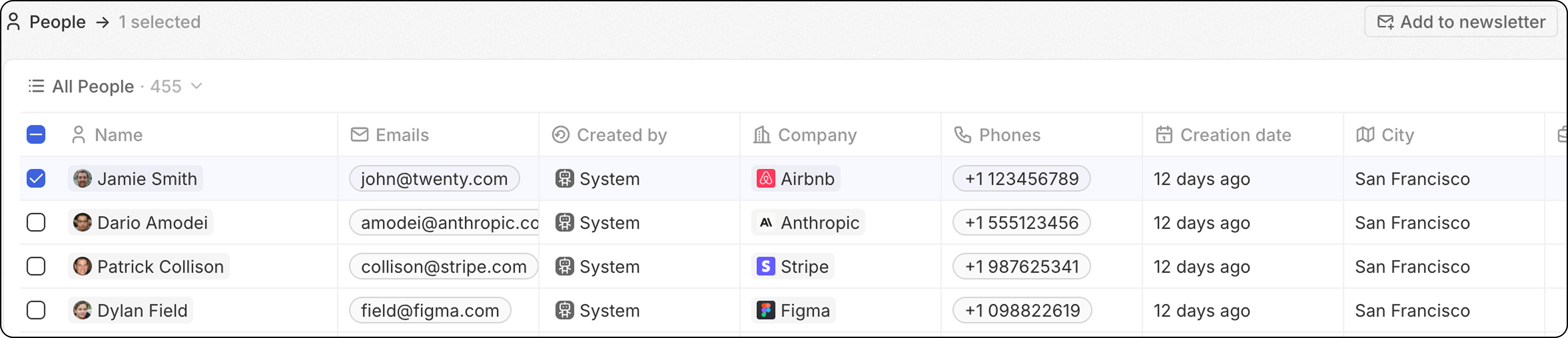
Bir kullanıcı eylemi tarafından tetiklendiğinde iş akışını başlatır. Bu tetikleyiciyeCmd+K menüsünden veya kayıt(lar)ı seçtikten sonra üst gezinme çubuğunda görüntülenecek özel bir düğme aracılığıyla erişilebilir.
- Global: Bu iş akışını tetiklemek için bir kayda gerek yoktur. İş akışı, komut menüsü
Cmd+Küzerinden herhangi bir yerden (herhangi bir nesneden) tetiklenir ve girdi olarak kayıt(lar) kullanmaz.
-
Tekil: İş akışı, başlangıçtan sona kadar, seçilen kayıt sayısı kadar çalışacaktır.
Yumuşak sınır: dakikada 100 çalıştırma. Bunun ötesinde, iş akışları “Not Started” durumunda kalır ve kademeli olarak işlenir—arka plan görevi tarafından ya da başka bir iş akışı kuyruğa girdiğinde. Bu, Tekil tetikleyici ile 100’den fazla kayıt seçebileceğiniz anlamına gelir; yalnızca yürütme daha yavaş olacaktır.
- Toplu: İş akışı bir kere çalışacak ve tüm kayıt listesini girdi olarak sağlayacaktır. Bu, iş akışının bir Yineleyici eylemi içermesi gerektiği anlamına gelir.
Bu daha gelişmiştir ve iş akışı çalıştırmalarının sayısını optimize etmek isteyenler için en uygunudur.
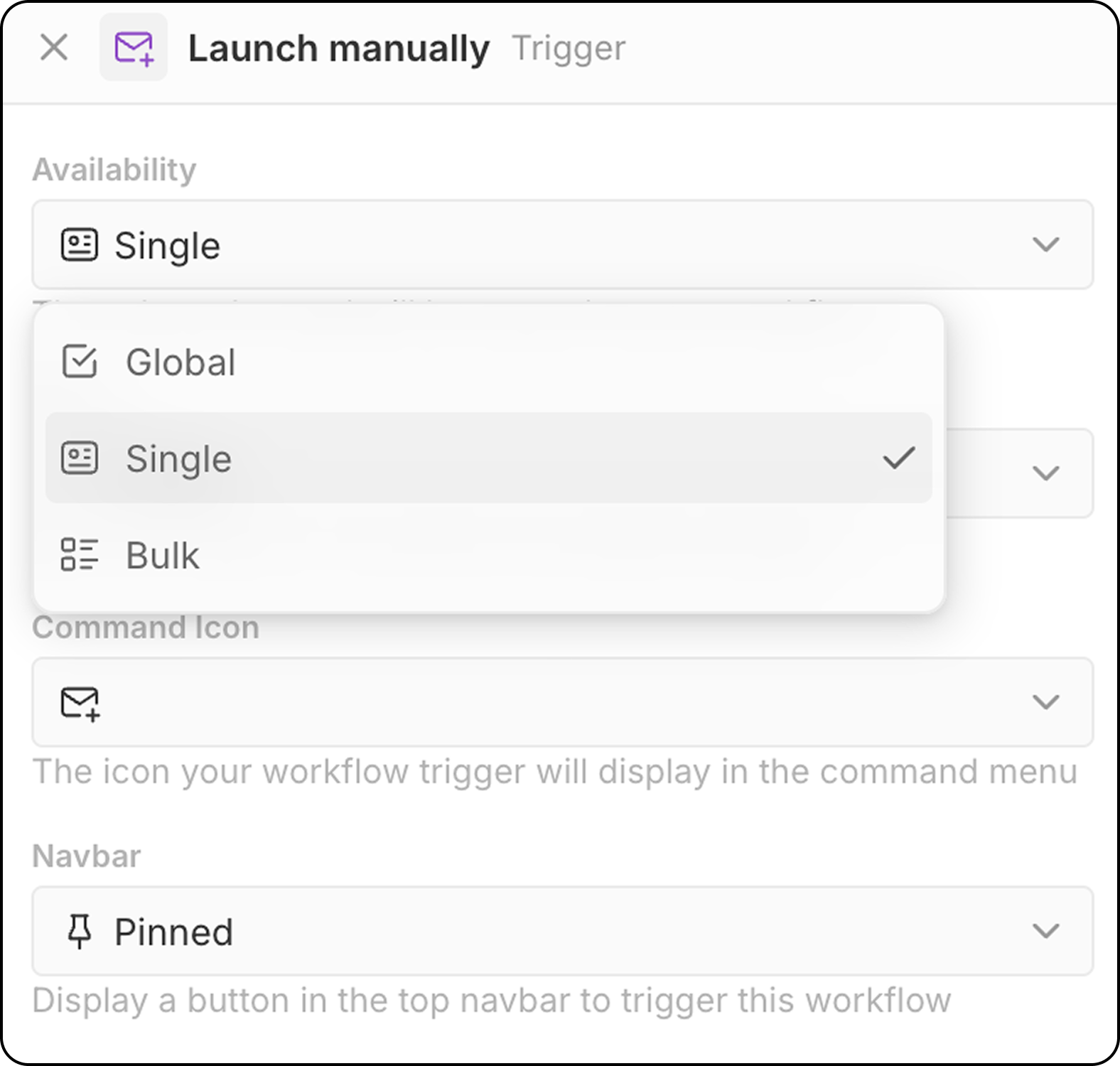
- Hedef nesneyi seçin (Tek ve Toplu kullanılabilirlik için)
- İş akışı tetikleyicisi için bir komut simgesi seçin
- Gezinme çubuğundaki konumu yapılandırın (Sabitlenmiş veya Sabitlenmemiş)
Cmd+Kmenüsü ile manuel iş akışlarını bulup başlatma- Üst gezinme çubuğunda (yapılandırılmışsa) özel bir düğme
Zamana Dayalı Tetikleyici: Zamanlama ile
Belirlediğiniz aralıklarla iş akışını başlatır. Yapılandırma:- Zaman birimini seçin (dakika, saat, gün)
- İleri düzey zamanlama için bir değer girin veya özel cron ifadeleri kullanın.
Saat dilimi: Zamanlanmış iş akışları UTC’de çalışır. Günlük zamanlamalar için saatleri ayarlarken yerel saatinizi UTC’ye dönüştürün.
Harici Tetikleyici: Webhook
İş akışı, harici bir hizmetten bir GET veya POST isteği alındığında başlar.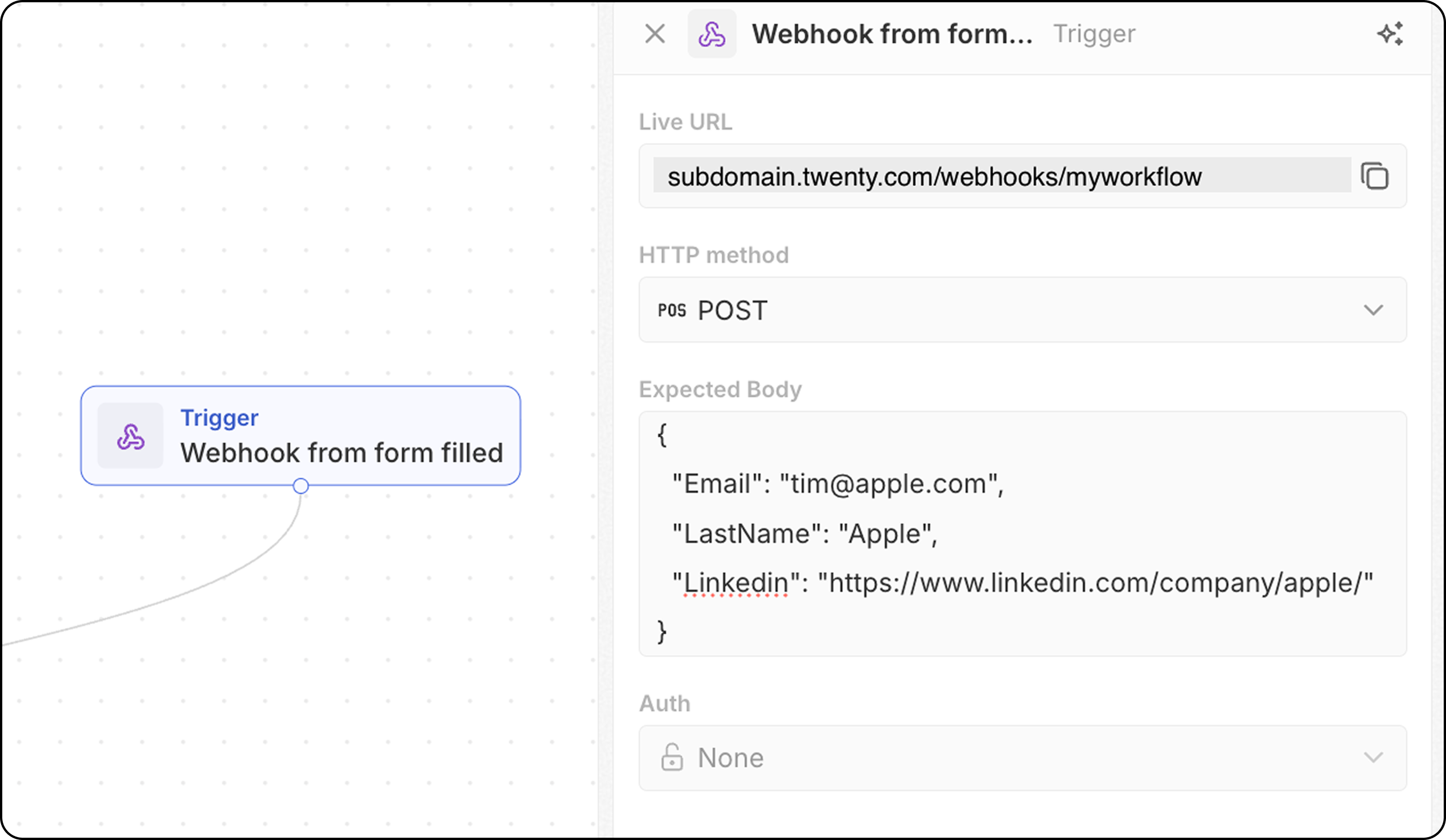
- İş akışı benzersiz bir webhook URL’si sağlar—bunu kopyalayın ve çağrılacak uç nokta olarak harici sisteminize ekleyin.
- POST istekleri için, Twenty’nin hangi verileri bekleyeceğini bilmesi amacıyla beklenen gövde yapısını tanımlayın. Buraya, iş akışınızda aşağıda gerekli olacak ve alacağınız alanları ekleyin.
- Kimlik doğrulamasını yapılandırın (yakında geliyor).