
Über Tabellenansichten
Tabellenansichten zeigen Datensätze in Zeilen mit anpassbaren Spalten—wie in einer Tabellenkalkulation. Dies ist der Standardansichtstyp für die meisten Objekte.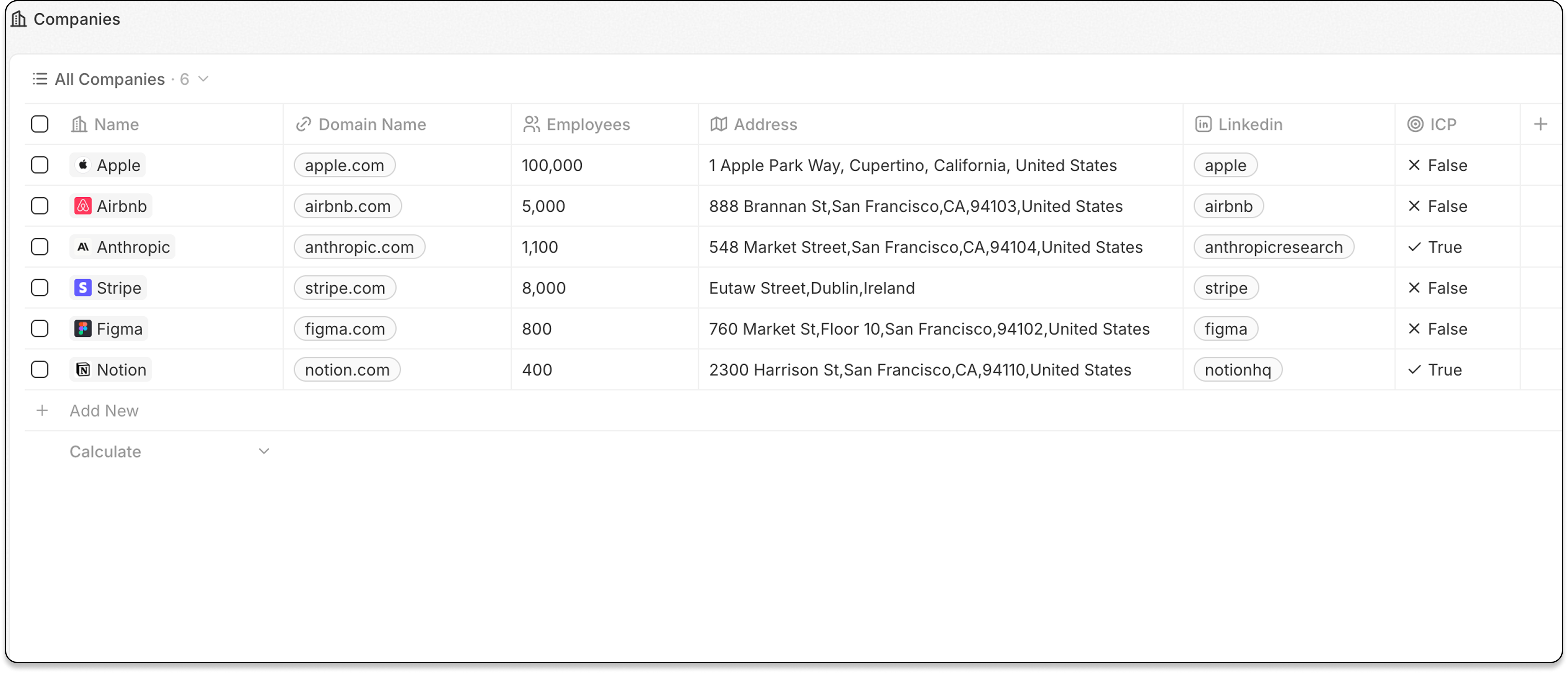
Funktionen
Spaltenkonfiguration
- Spalten (Felder) anzeigen oder ausblenden
- Spaltenbreiten anpassen
- Spalten durch Ziehen neu anordnen
Nach einem Auswahlfeld gruppieren
Organisieren Sie Datensätze in einklappbare Gruppen, basierend auf einem Feld des Typs Auswahl.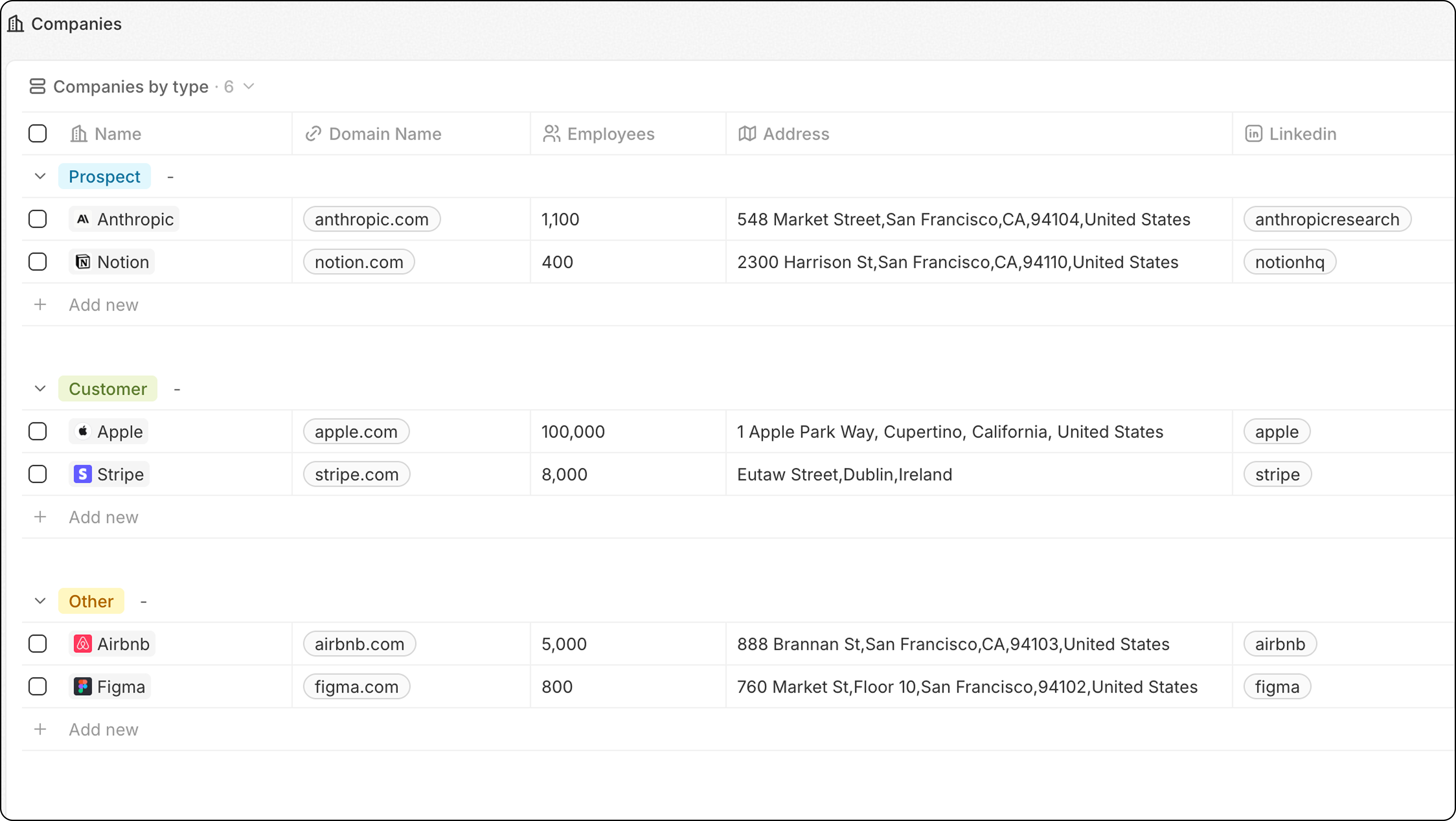
- Klicken Sie auf Optionen
- Wählen Sie Gruppieren
- Wählen Sie ein Auswahlfeld
- Konfigurieren Sie die Gruppenreihenfolge unter Optionen → Gruppieren → Sortieren:
- Alphabetisch oder umgekehrt alphabetisch
- Manuelle Reihenfolge: Ziehen Sie Gruppen unter “Sichtbare Gruppen”, um sie neu anzuordnen
- Klicken Sie auf das Augensymbol neben einer Gruppe, um sie auszublenden
- Unternehmen nach Typ gruppieren
- Verkaufschancen nach Phase gruppieren
- Aufgaben nach Status gruppieren
Für optimale Leistung beschränken Sie die Anzahl auf 10-15 sichtbare Gruppen pro Ansicht. Wenn Sie mehr Gruppen benötigen, sollten Sie stattdessen ein Dashboard verwenden.
Spaltenbreiten
Passen Sie die Spaltenbreiten an, um mehr oder weniger Inhalt anzuzeigen:- Bewegen Sie den Mauszeiger zwischen zwei Spaltenüberschriften
- Klicken Sie auf den Spaltenrand und ziehen Sie ihn
- Lassen Sie los, um die neue Breite festzulegen
Wann Sie Tabellenansichten verwenden sollten
Tabellenansichten eignen sich am besten für:- Durchsuchen großer Datensätze — viele Datensätze schnell überfliegen
- Dateneingabe — mehrere Datensätze effizient bearbeiten
- Detaillierte Analyse — viele Felder auf einen Blick
- Sortieren und Filtern — bestimmte Datensätze finden
Verwandt
- Felder und Spalten — konfigurieren, welche Felder angezeigt werden
- Filter und Sortierung — Datensätze eingrenzen