
Tipuri de relații
Unu-la-mulți
O înregistrare din Obiectul A poate fi legată de multe înregistrări din Obiectul B. Exemplu: O Companie poate avea multe Persoane (angajați).Mulți-la-unu
Multe înregistrări din Obiectul A pot fi legate de o singură înregistrare din Obiectul B. Exemplu: Multe Persoane pot aparține unei singure Companii.Relații către mai multe tipuri de obiecte
Unele obiecte pot face legătura către mai multe tipuri de obiecte pe o parte a relației. Exemplu: O Notă poate fi atașată simultan la o Persoană ȘI o Companie ȘI o Oportunitate. Obiectul Notă este pe partea “mulți”, conectându-se la mai multe părți “unu”.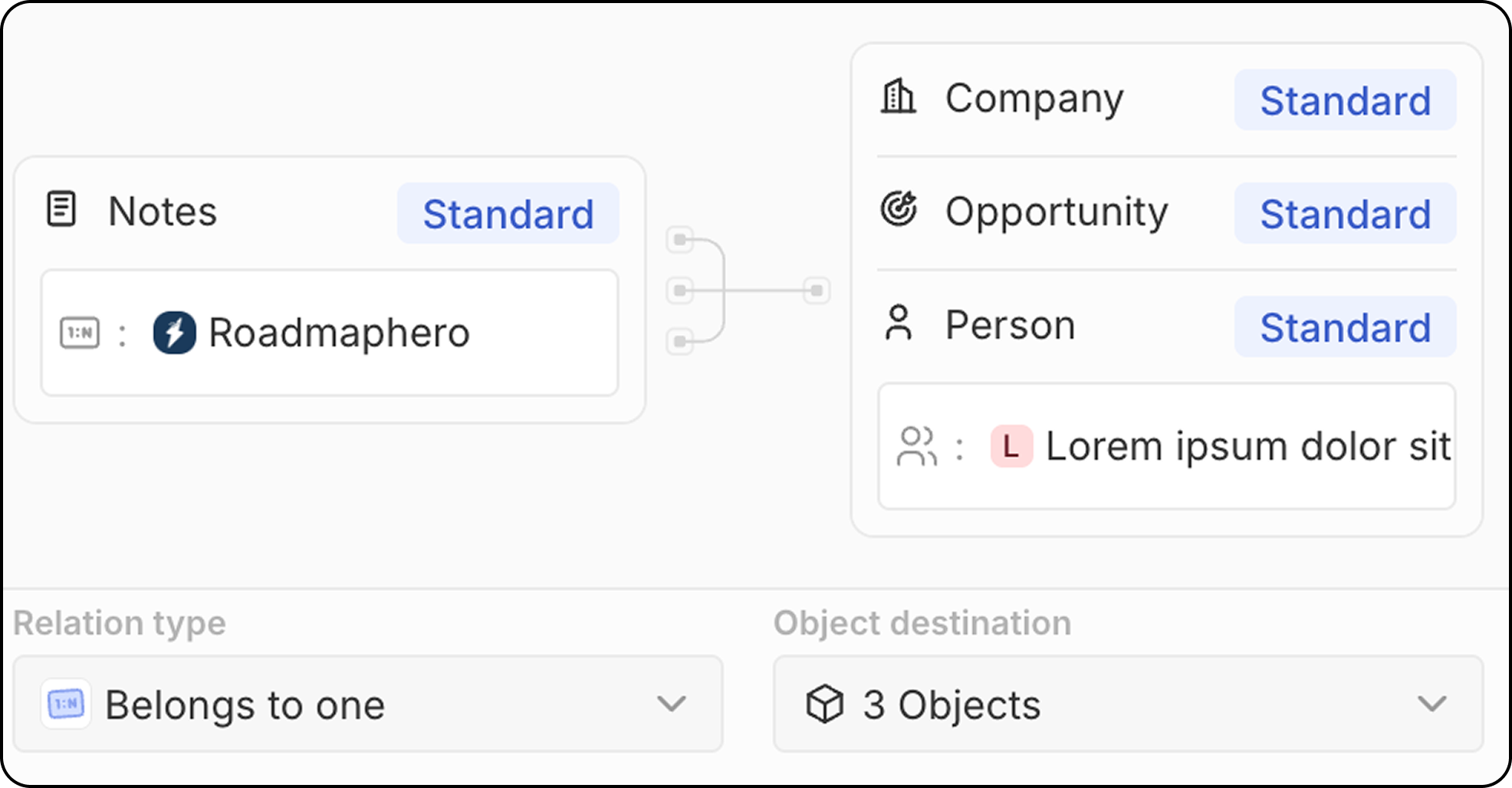
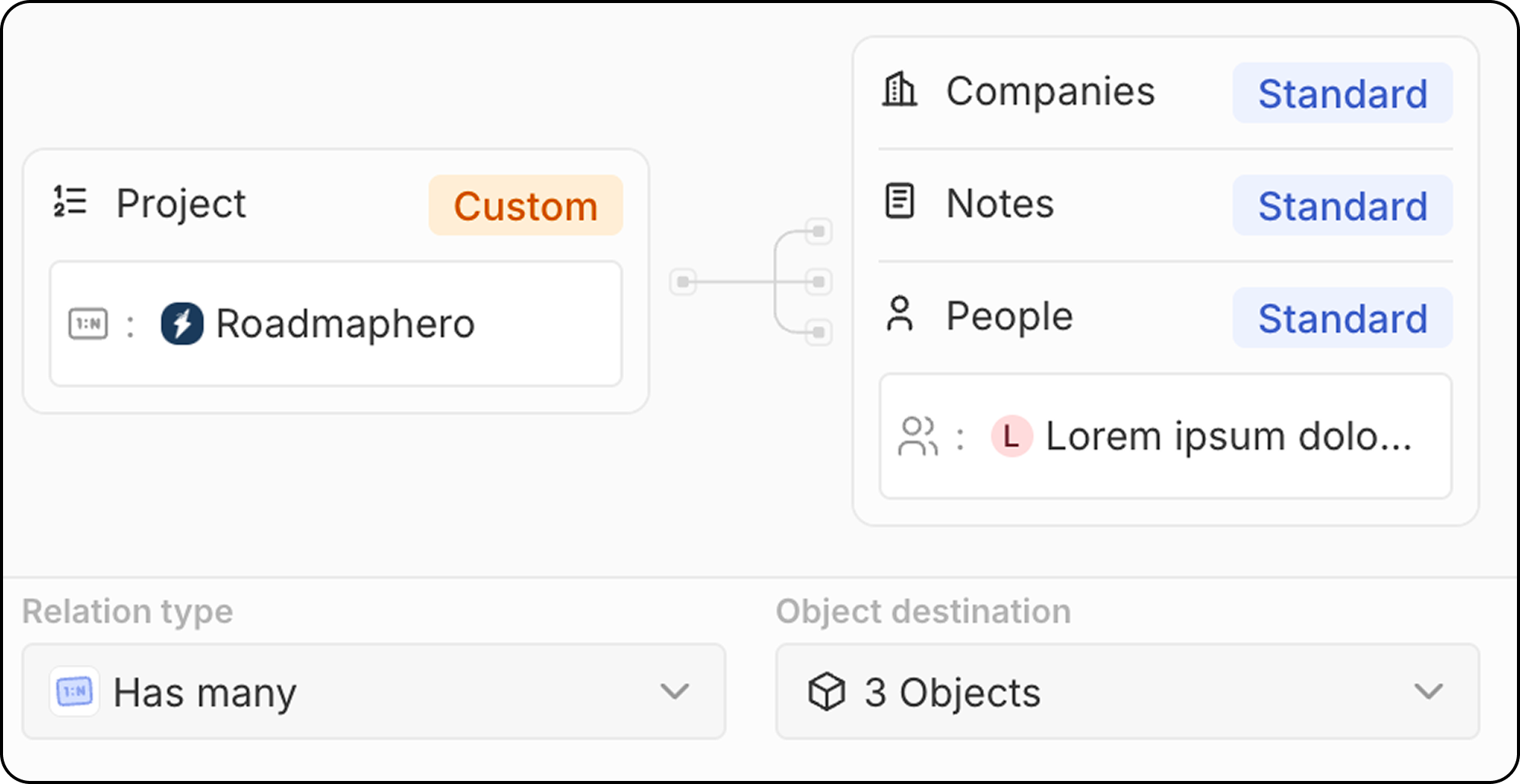
Mulți-la-mulți
Multe înregistrări din Obiectul A pot fi legate de multe înregistrări din Obiectul B. Exemplu: Multe Persoane pot fi legate de multe Proiecte și invers. Relațiile de tip multe-la-multe folosesc un model de tip obiect de legătură: un obiect intermediar care conectează ambele părți. Cu funcția de relație cu obiect de legătură, Twenty afișează direct înregistrările finale asociate, ascunzând obiectul intermediar din UI. Consultați Cum să creați relații de tip multe-la-multe pentru un ghid complet, pas cu pas.Crearea unui câmp de relație
- Accesați Setări → Model de date
- Selectați obiectul în care doriți să adăugați relația
- Click + Câmp nou
- Selectați Relație ca tip de câmp
- Alegeți obiectul/obiectele țintă cu care să stabiliți relația
- Configurați setările relației:
- Numele câmpului pe obiectul sursă: Numele câmpului de relație pe obiectul pe care îl editați
- Numele câmpului pe obiectul destinație: Numele câmpului de relație care va apărea pe obiectul țintă
- Tipul relației (unu-la-mulți, mulți-la-unu)
- Faceți clic pe Salvare
Relații standard
Twenty include relații predefinite între obiectele standard:Cele mai bune practici
Planificarea relațiilor
- Mapați modelul de date: Planificați relațiile înainte de a le crea
- Luați în considerare direcția: Gândiți-vă care obiect „deține” relația
- Evitați dependențele circulare: Păstrați modelul de date curat
Denumierea relațiilor
- Folosiți denumiri clare: Să fie evident ce reprezintă relația
- Fiți consecvenți: Folosiți tipare de denumire similare pentru toate relațiile
- Luați în considerare ambele părți: Denumiți corespunzător ambele părți ale relației
Performanță
- Nu exagerați cu relațiile: Prea multe relații pot încetini spațiul de lucru
Limitări
- Ștergerea relațiilor elimină legătura, dar nu și înregistrările asociate
- Relațiile circulare ar trebui evitate pentru integritatea datelor